
Ultimate Guide to Domain Management in 2026: Tools, Monitoring & Automation

Managing domains used to be simple. You bought a domain, renewed it once a year, and that was it.
But today, domain management is no longer just an administrative task - it’s part of your infrastructure. Domains affect your website, email, security, and even your search rankings.
And most problems don’t happen when something crashes.
That’s why modern teams are shifting from simple domain management to continuous domain monitoring.
They happen quietly:
- a domain expires
- an SSL certificate breaks
- DNS records change
- email suddenly stops working
No alert. No warning. Until someone notices.
In this guide, we’ll break down what domain management actually means in 2026 - and how to do it without relying on spreadsheets and manual checks.
What Is Domain Management?
Domain management is the process of tracking, maintaining, and securing your domain infrastructure.
That includes:
- Domain expiration tracking
- SSL certificate monitoring
- DNS record management
- Registrar coordination
- Renewal planning
For small projects, this can be handled manually.
But once you manage multiple domains - across clients, environments, or registrars - things get complicated fast.
Why Domain Management Becomes a Problem
Most teams don’t think about domain management until something breaks. And when it does, the impact is immediate.
Expired domain → website goes offline
Broken SSL → browser shows “Not Secure”
DNS change → email stops working
These aren’t edge cases. They happen every day.
The real issue is that domain infrastructure is:
- silent — no obvious signals before failure
- distributed — across multiple registrars
- manual — tracked in spreadsheets or calendars
And that doesn’t scale.
The Core Components of Modern Domain Management
To manage domains properly in 2026, you need visibility into four critical areas.
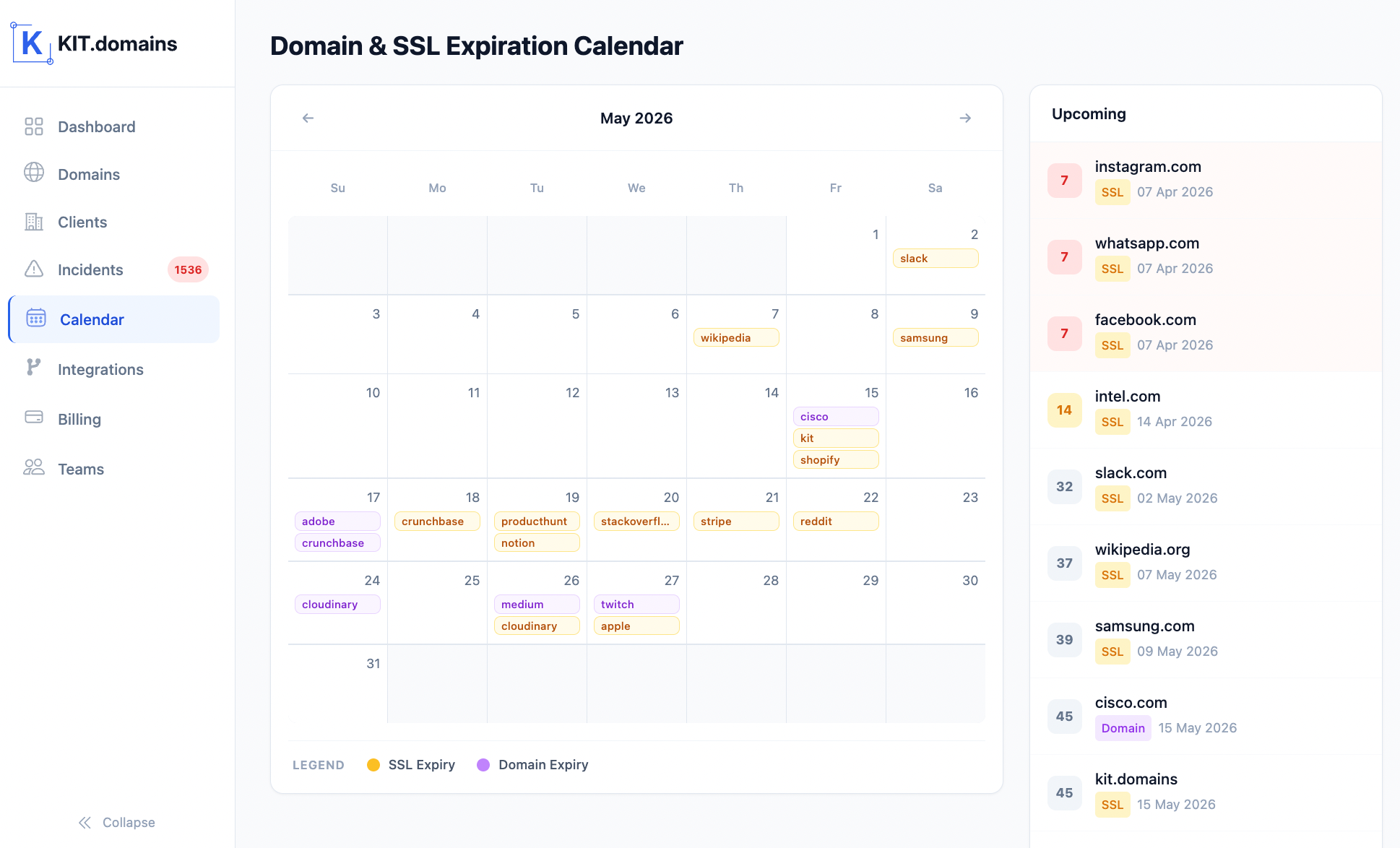
1. Domain Expiration Tracking
Domains expire. And when they do, everything stops. The problem isn’t renewal itself - it’s missing it.
Good domain management means:
- knowing exactly when domains expire
- getting alerts before renewal deadlines
- managing renewals across multiple registrars
2. SSL Certificate Monitoring
SSL certificates fail more often than most teams expect.
When they expire:
- browsers show security warnings
- users lose trust instantly
- conversions drop
Monitoring SSL certificates means:
- tracking expiration dates
- detecting invalid or broken certificates
- receiving alerts before users are affected
3. DNS Integrity Monitoring
This is where most tools fall short. DNS issues don’t always cause downtime - they cause invisible failures.
For example:
- MX record changes → email stops working
- NS changes → domain points somewhere else
- A record changes → traffic redirected
Good monitoring means:
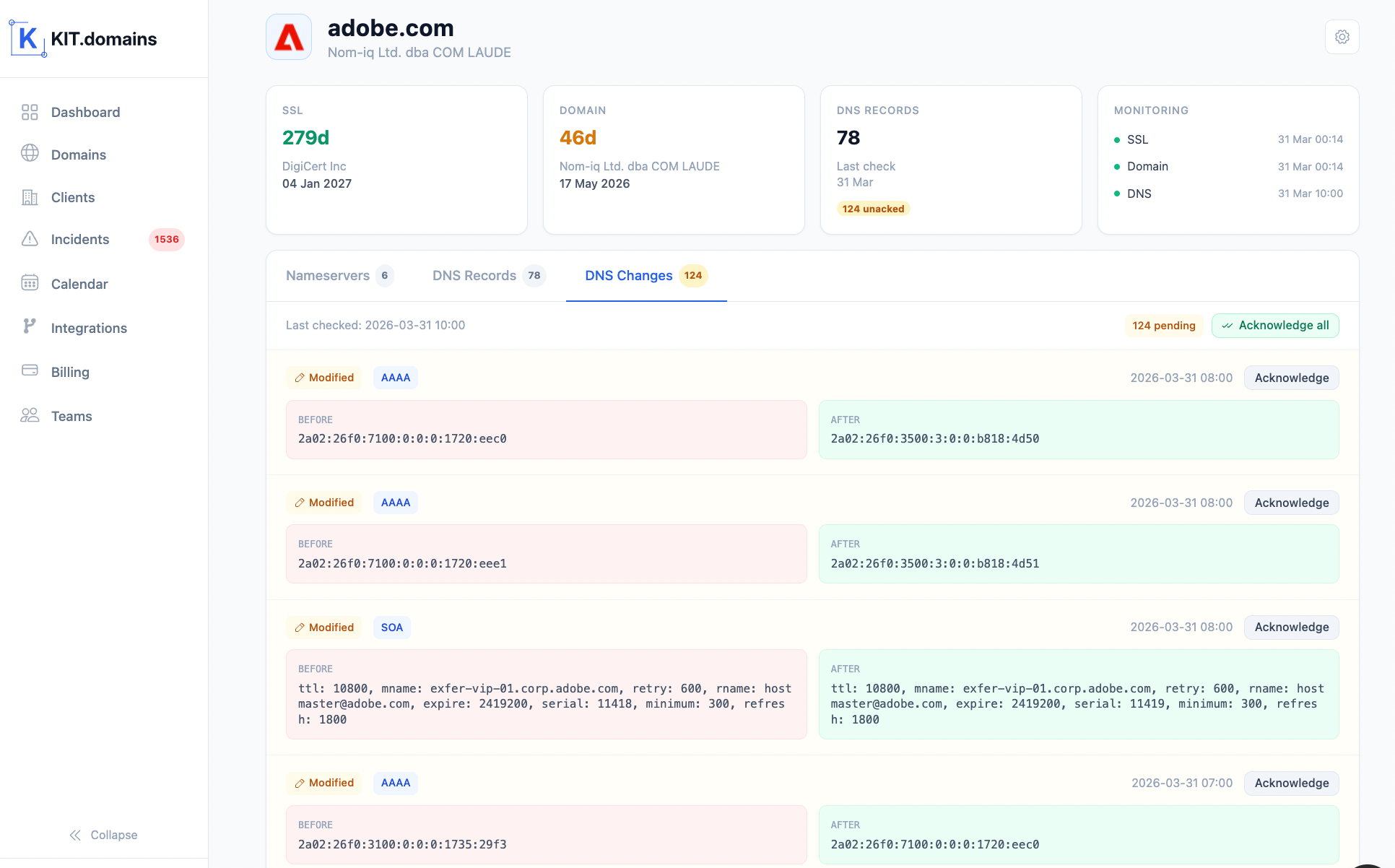
- tracking changes in critical DNS records
- detecting unauthorized or unexpected updates
- alerting in real time
More importantly, you need visibility into what exactly changed. Without change history, teams are left guessing - and debugging becomes slow and reactive.
4. Centralized Visibility
If your domains are spread across:
- GoDaddy
- Namecheap
- Cloudflare
- random client registrars
You already know the problem. Logging into multiple dashboards doesn’t scale.
Modern domain management requires:
- one dashboard
- one source of truth
- full portfolio visibility
5. Incident Detection & Change Visibility
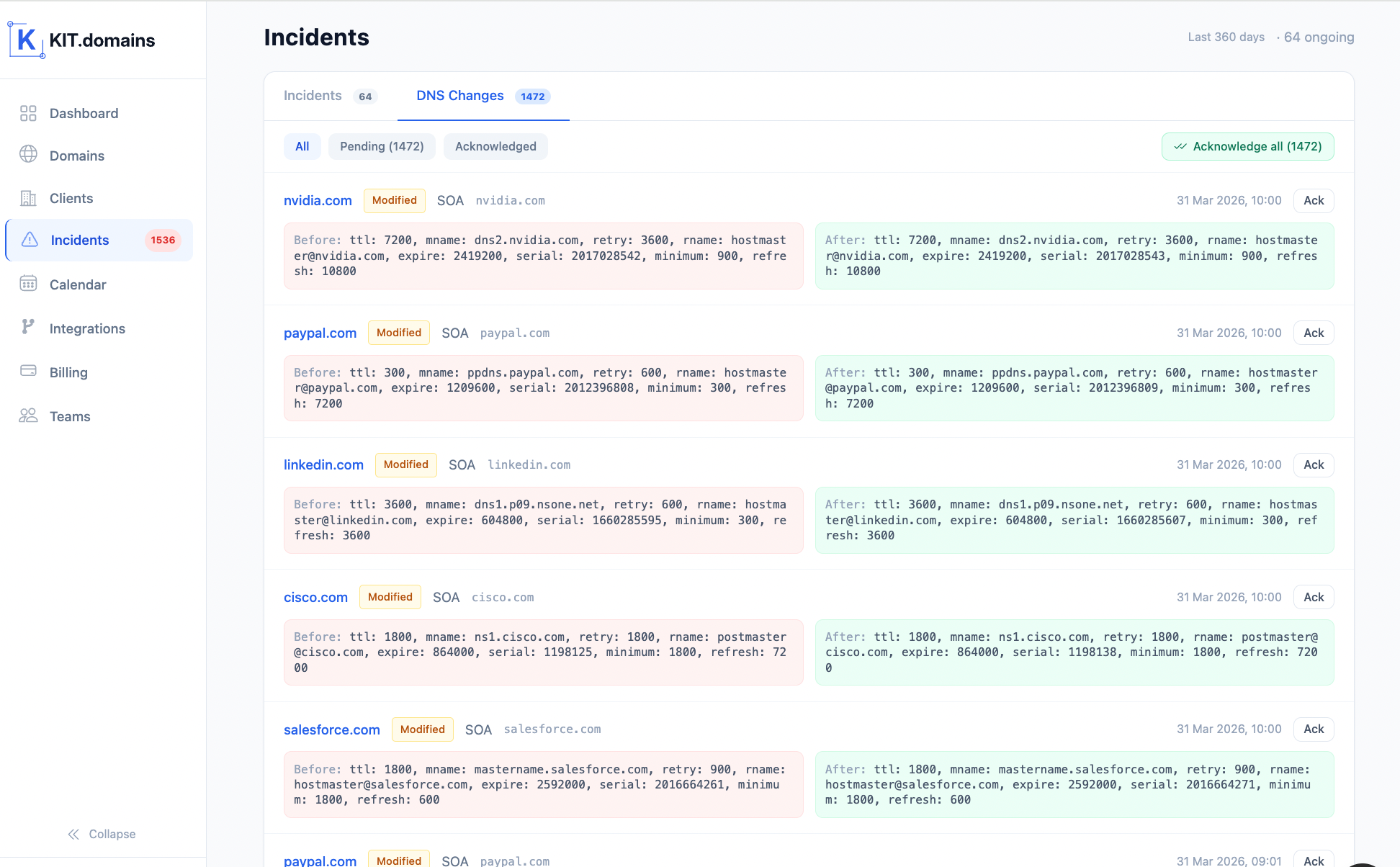
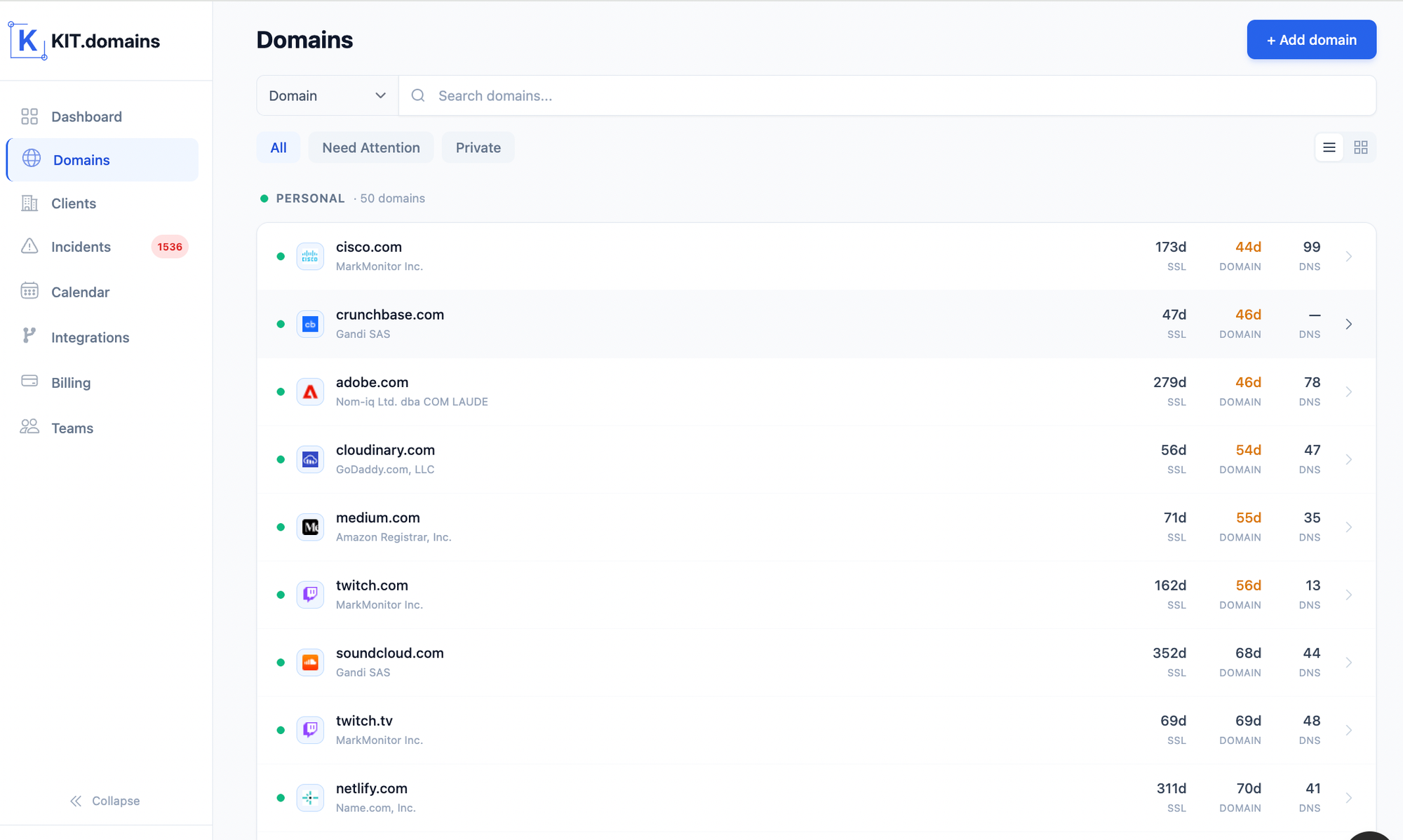
Domain monitoring isn’t just about tracking status - it’s about understanding what actually happened when something changes.
At scale, issues don’t come from “downtime” - they come from changes:
- a DNS record was updated
- a nameserver was modified
- a certificate configuration shifted
Without visibility, teams are left guessing.
Modern domain monitoring tools provide full incident tracking - showing what changed, when it changed, and how it affects your infrastructure.
This turns troubleshooting from reactive guesswork into a clear, structured process.
Why Manual Domain Management Doesn’t Scale
Spreadsheets work - until they don’t. At 5-10 domains, manual tracking is fine. At 50+ domains, it becomes a risk.
Common problems:
- outdated data
- missed renewals
- no real-time visibility
- alerts lost in email noise
Manual processes don’t fail loudly. They fail silently - until it’s too late.
What Good Domain Management Looks Like Today
In 2026, domain management should be:
Centralized → everything in one place
Automated → no manual tracking
Proactive → alerts before issues
Integrated → works with your tools
Anything less - and you’re reacting instead of preventing.
How to Automate Domain Management
This is where tools come in. Instead of checking domains manually, modern teams use domain monitoring platforms that:
- track expiration automatically
- monitor SSL certificates
- detect DNS changes
- send real-time alerts
- provide a unified dashboard
KIT.domains: A Modern Approach to Domain Management
KIT.domains is built specifically for domain infrastructure - not just uptime.
Instead of asking “Is the website online?” it answers: “What could break next?”
Here’s how it works.
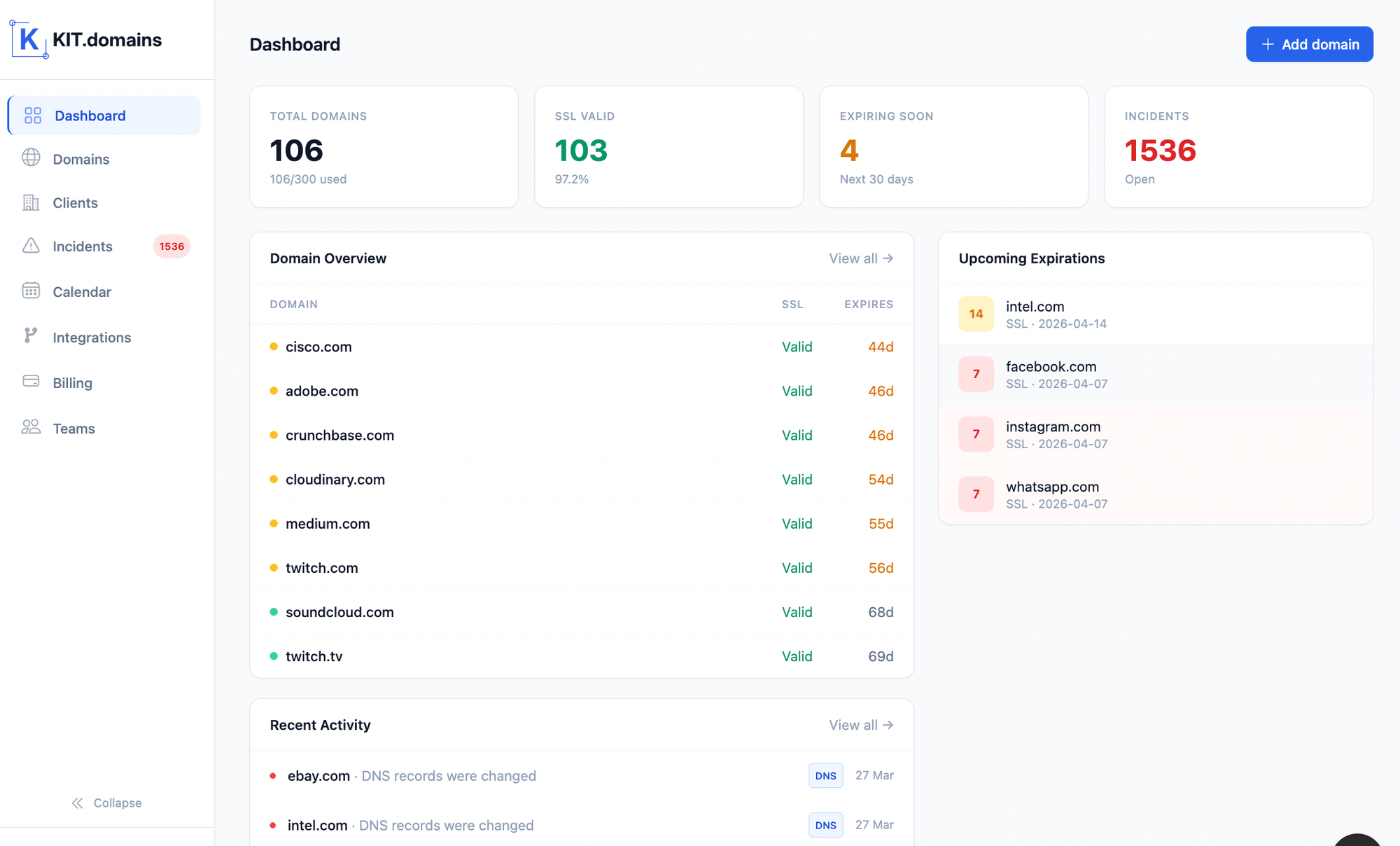
Instead of manually checking domains, KIT.domains continuously monitors your infrastructure and surfaces issues as structured incidents - not just alerts.
Unified Domain Dashboard
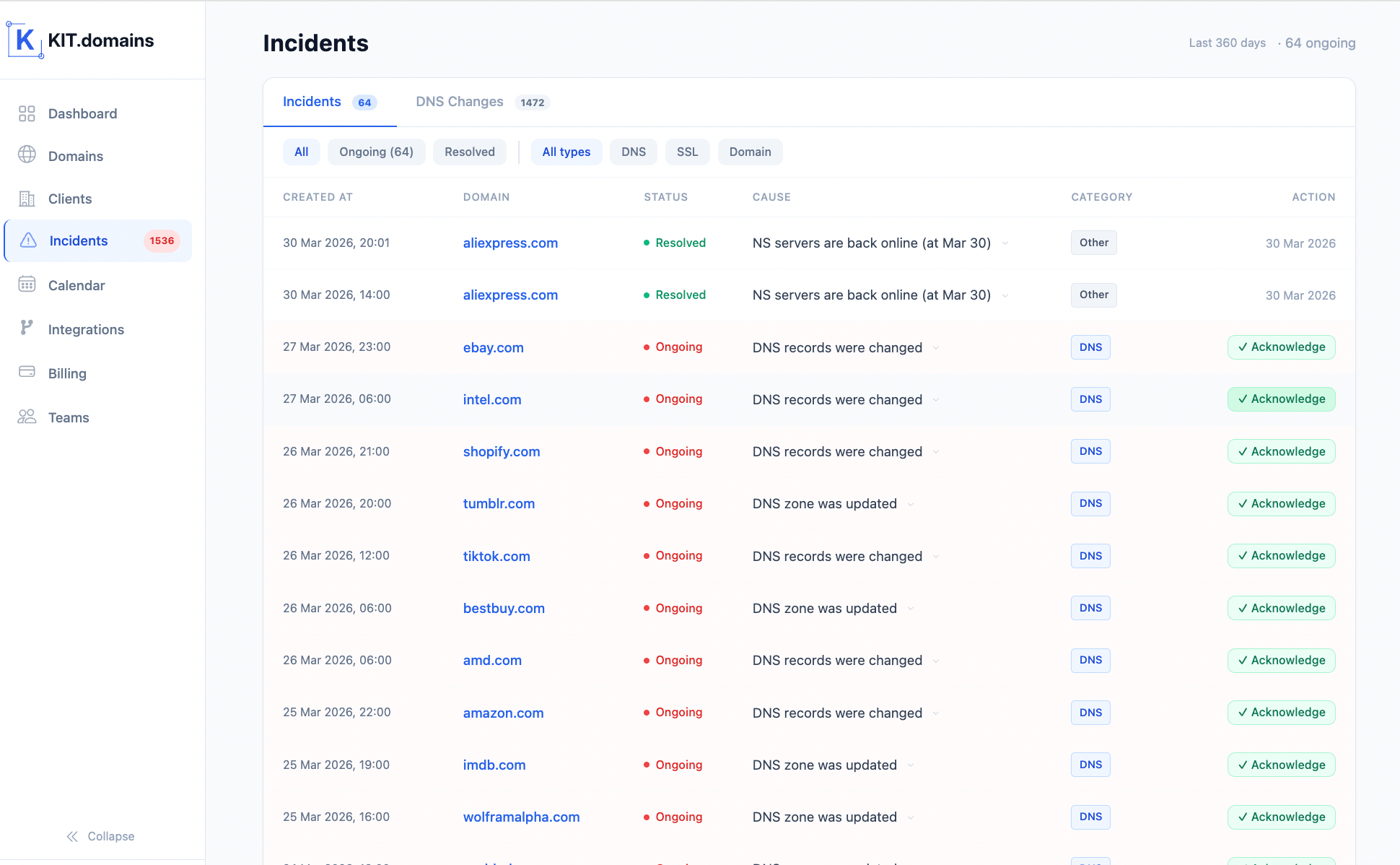
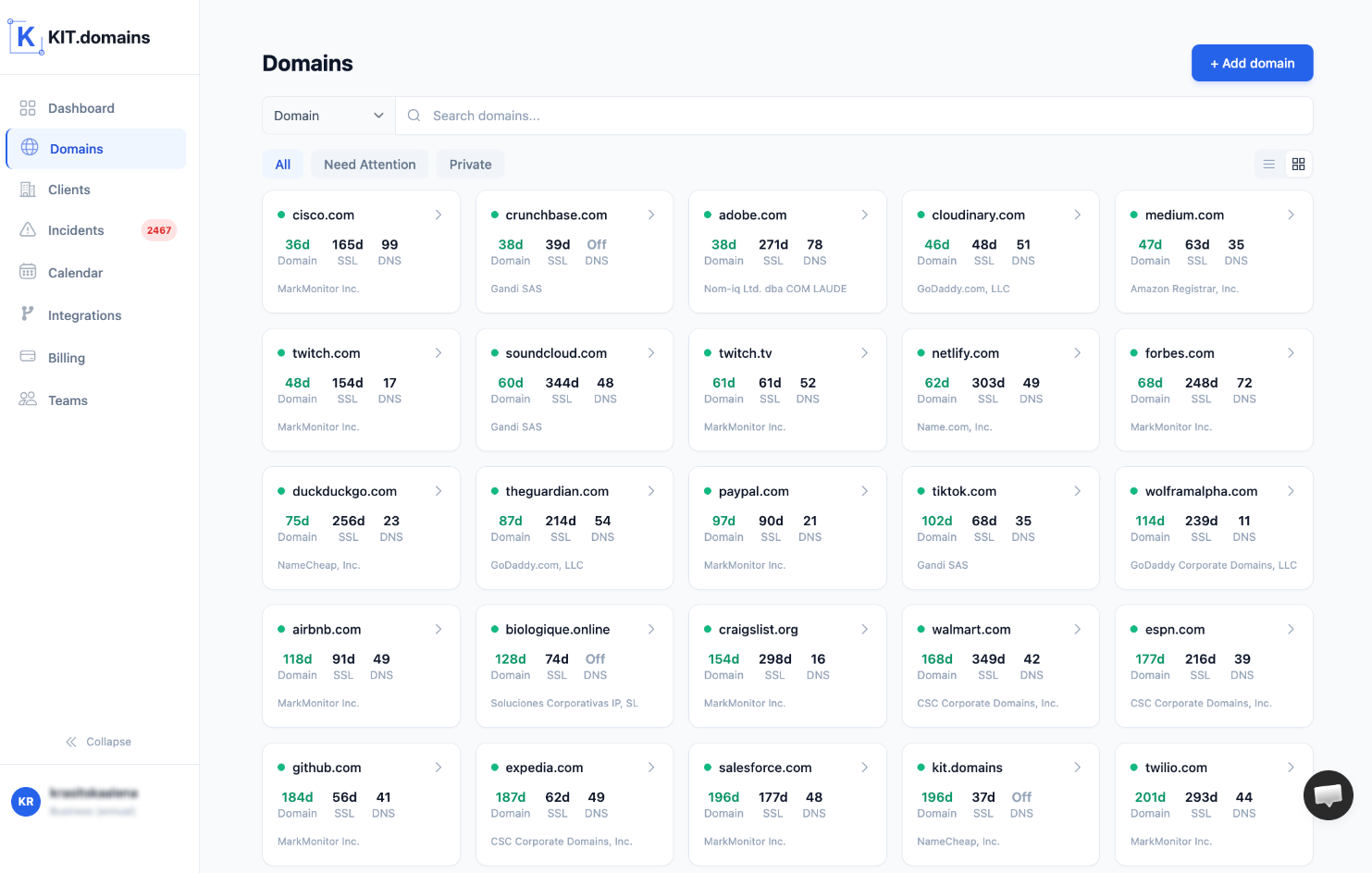
Manage all your domains across registrars in one place.
No more switching between dashboards or tracking things manually.
See active incidents, expiring domains, and SSL risks at a glance - without digging into individual domain settings.
Automated Expiration Tracking
KIT.domains continuously monitors:
- domain expiration
- SSL certificate validity
You get alerts before anything expires - not after.
DNS Integrity Monitoring
Track changes in:
- MX records
- NS records
Get notified the moment something changes - even if the website is still “up”.
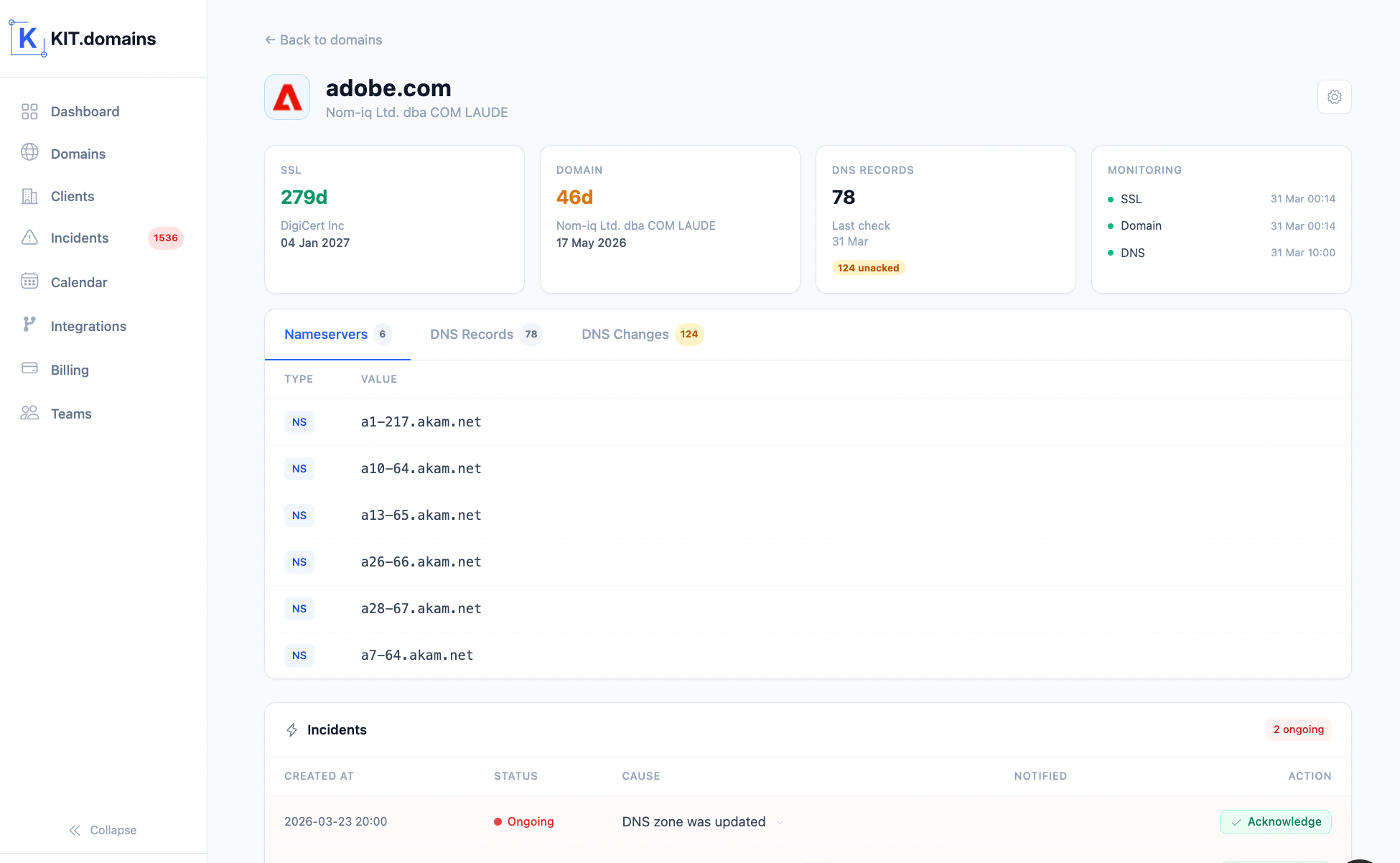
You can see exactly what changed - including previous and current values - giving you full visibility into DNS history.
Incident Detection
KIT.domains automatically detects and logs incidents across your domain infrastructure.
Each incident includes:
- what changed
- when it happened
- current status (ongoing or resolved)
This allows your team to quickly understand the root cause instead of manually investigating issues.
Real-Time Alerts Where Your Team Works
Alerts are not just notifications - they are tied to real incidents, so your team gets context, not just signals. Receive alerts via:
- Slack
- Telegram
- Webhooks
- HaloPSA
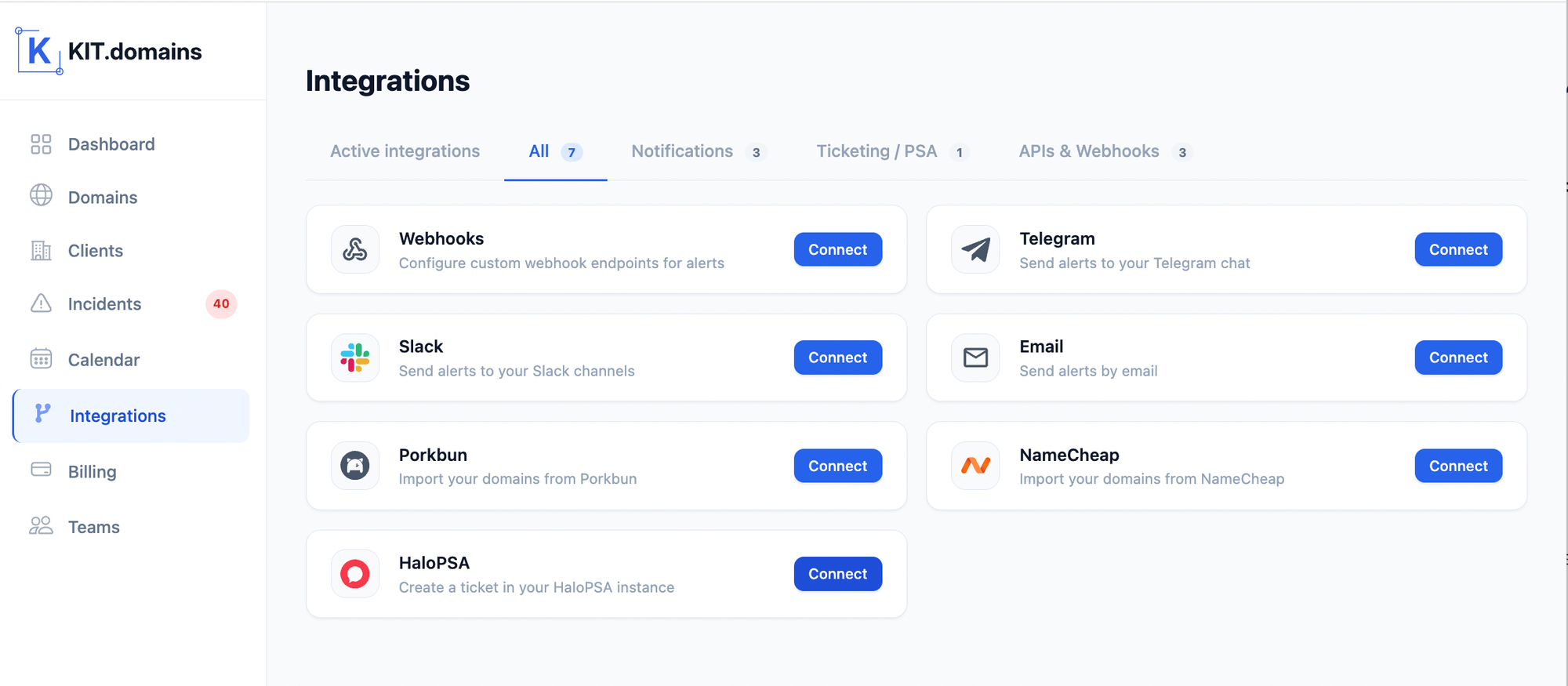
No more digging through email notifications.
Built for Scale
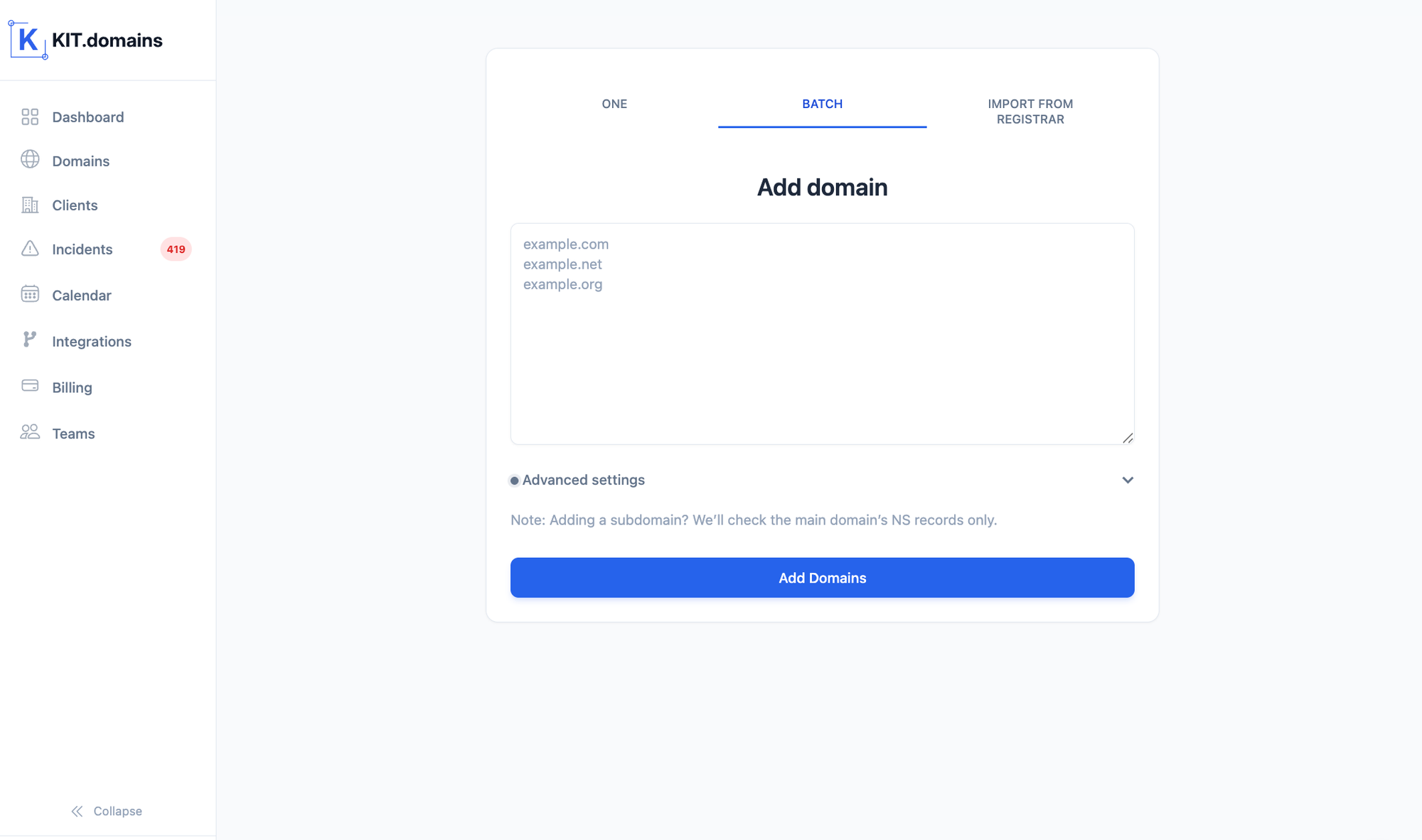
Manage and update multiple domains at once with batch actions, reducing repetitive manual work.
Whether you manage:
- 10 domains
- 100 domains
- 500+ domains
KIT.domains gives you full visibility without adding manual work.
Manual vs Automated Domain Management
| Feature | Manual | KIT.domains |
|---|---|---|
| Expiration tracking | Manual / error-prone | Automated |
| SSL monitoring | Partial | Full |
| DNS monitoring | None | Real-time |
| Visibility | Scattered | Centralized |
| Alerts | Email only | Multi-channel |
| Scalability | Low | High |
| Incident visibility | None | Full timeline & history |
Conclusion: Domain Management Is Infrastructure Now
Domain management is no longer optional. It’s not just about renewals - it’s about preventing failures that impact your business, your clients, and your reputation.
The shift is simple:
- from manual → automated
- from reactive → proactive
If you’re still relying on spreadsheets and reminders, you’re not managing domains - you’re hoping nothing breaks.
Because most domain issues don’t fail loudly - they fail silently.
Start Managing Domains the Right Way
Stop reacting to domain issues. Start preventing them.
Try KIT.domains and take control of your entire domain infrastructure.
FAQ
What is domain management?
Domain management is the process of tracking domain expiration, SSL certificates, DNS records, and overall domain health.
Why is domain monitoring important?
Because most domain-related failures (expiration, DNS changes, SSL issues) happen silently and can cause downtime or security problems.
Can I manage domains manually?
Yes, but it doesn’t scale. Manual tracking leads to missed renewals and lack of visibility.
What does a domain monitoring tool do?
It automates tracking of domain expiration, SSL certificates, and DNS changes while providing alerts and centralized visibility.