
DNS Alerts for MSPs: How to Set Up Slack, Webhook & Email Notifications
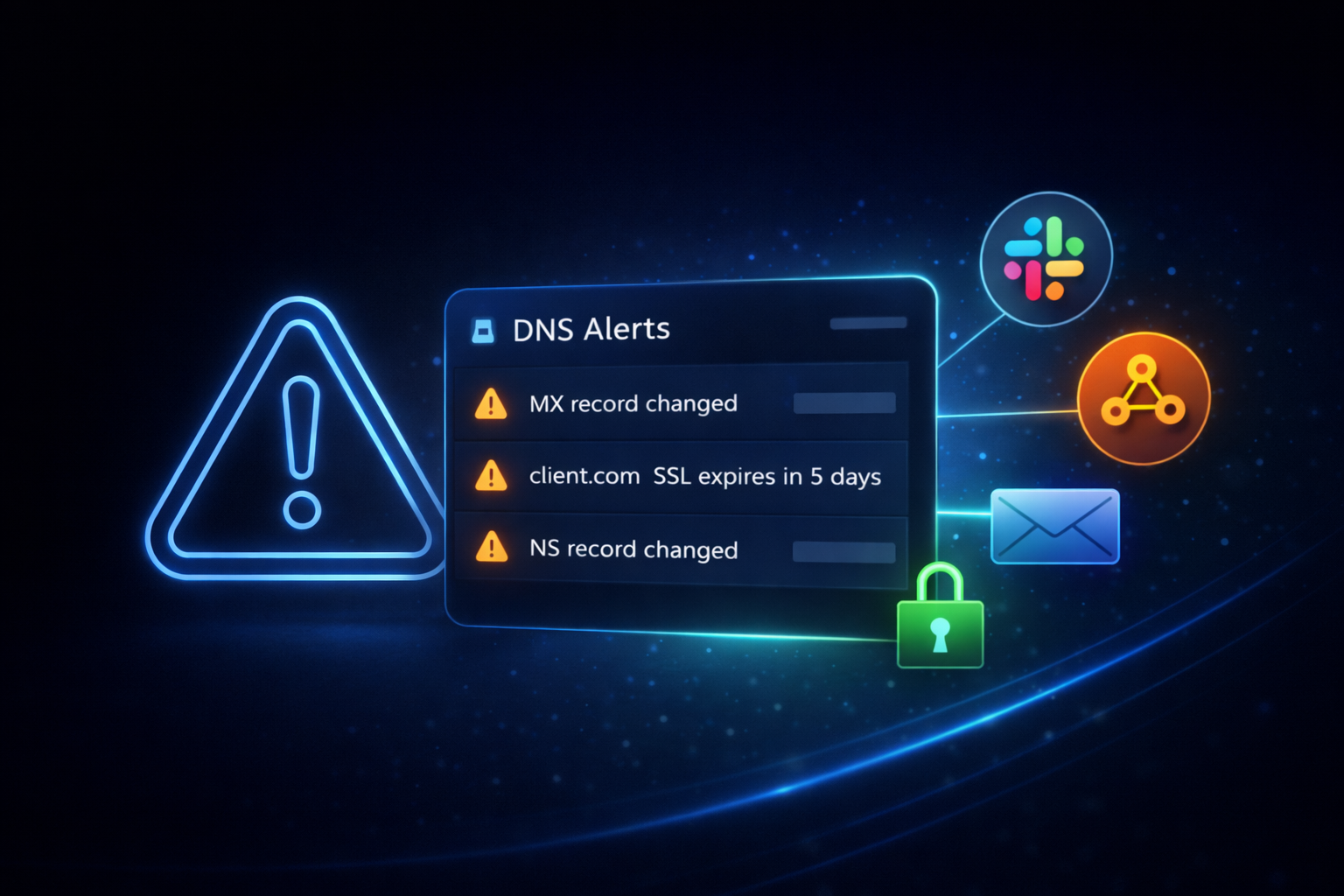
For MSPs, DNS alerts are a critical part of DNS monitoring for MSPs, ensuring teams can detect issues across multiple client domains before they escalate.
When DNS issues happen, they rarely look like incidents at first. There’s no obvious outage. No clear error message. Everything seems to work - until it doesn’t.
A client mentions that emails aren’t arriving. Another says their website loads inconsistently. A campaign landing page suddenly stops converting. And by the time someone notices - the problem has already been live for far too long.
This is the reality of DNS issues: they don’t fail loudly. They fail quietly - and alerts are the only way to catch them in time.
The Real Problem: DNS Fails Before Anyone Sees It
DNS sits behind everything:
- websites;
- email delivery;
- third-party integrations.
But unlike uptime or server monitoring, DNS failures don’t always create immediate, visible outages.
Instead, they create partial failures:
- email routing breaks, but only for some providers;
- DNS propagation causes inconsistent website access;
- integrations fail silently due to broken records.
This is why relying on manual checks or basic monitoring doesn’t work. By the time you notice - your client already has.
Why This Happens More Often Than You Think
DNS changes constantly - and not always intentionally.
A developer updates a record during deployment.
A registrar sync resets nameservers.
A third-party tool modifies verification records.
Or worse - someone gains access and changes DNS without approval.
The problem isn’t just that changes happen. It’s that they happen without visibility. And unless you’re actively watching for them - you won’t know.
Why Manual Monitoring Breaks at Scale
Many MSPs still rely on a mix of:
- registrar notifications
- uptime monitoring tools
- occasional manual checks
On paper, it sounds reasonable. In reality, it creates gaps.
Registrar emails are inconsistent and easy to miss. Uptime tools don’t track DNS-level changes. Manual checks don’t scale across dozens of domains.
The result is predictable:
- alerts arrive too late
- important signals get buried
- teams react instead of prevent
This is exactly why DNS alerting becomes critical as soon as you manage more than a handful of domains.
What High-Quality DNS Alerts Actually Look Like
Not all alerts are useful. In fact, most teams struggle with one of two problems:
- too many alerts → everything gets ignored
- too few alerts → critical issues go unnoticed
The goal is not more alerts. It’s the right alerts, delivered instantly, in the right place.
At a minimum, MSPs need visibility into:
1) DNS record changes - especially MX, NS, and A records;
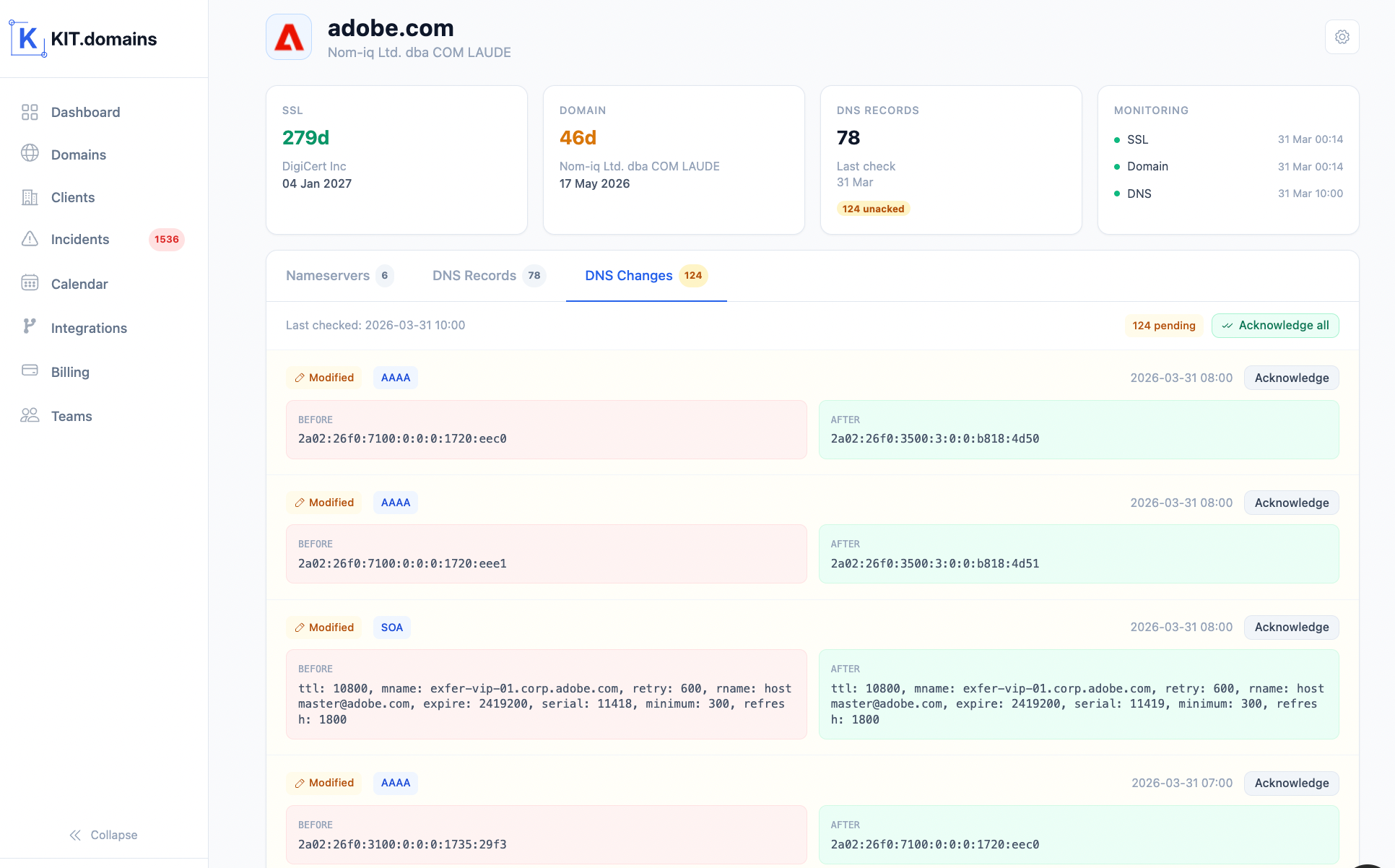
2) Domain expiration timelines - before they become urgent;
3) SSL certificate validity - before browsers start warning users.
These are the signals that directly impact clients. Everything else is secondary.
Where Alerts Should Go (And Why It Matters)
Even the best alerts are useless if no one sees them.
This is where most setups fail - not in detection, but in delivery.
Slack: Where Teams Actually React
Slack works because it’s where your team already operates.
Instead of alerts getting buried in inboxes, they appear instantly in shared channels - visible, actionable, and easy to respond to.
For real-time DNS alerts, Slack becomes the fastest feedback loop your team has.
Webhooks: Turning Alerts Into Automation
Webhooks take alerts one step further.
Instead of just notifying someone, they trigger actions:
- create tickets in HaloPSA
- update internal systems
- launch automated workflows
For MSPs, this is where alerting becomes scalable. Because reacting manually doesn’t scale - but automation does.
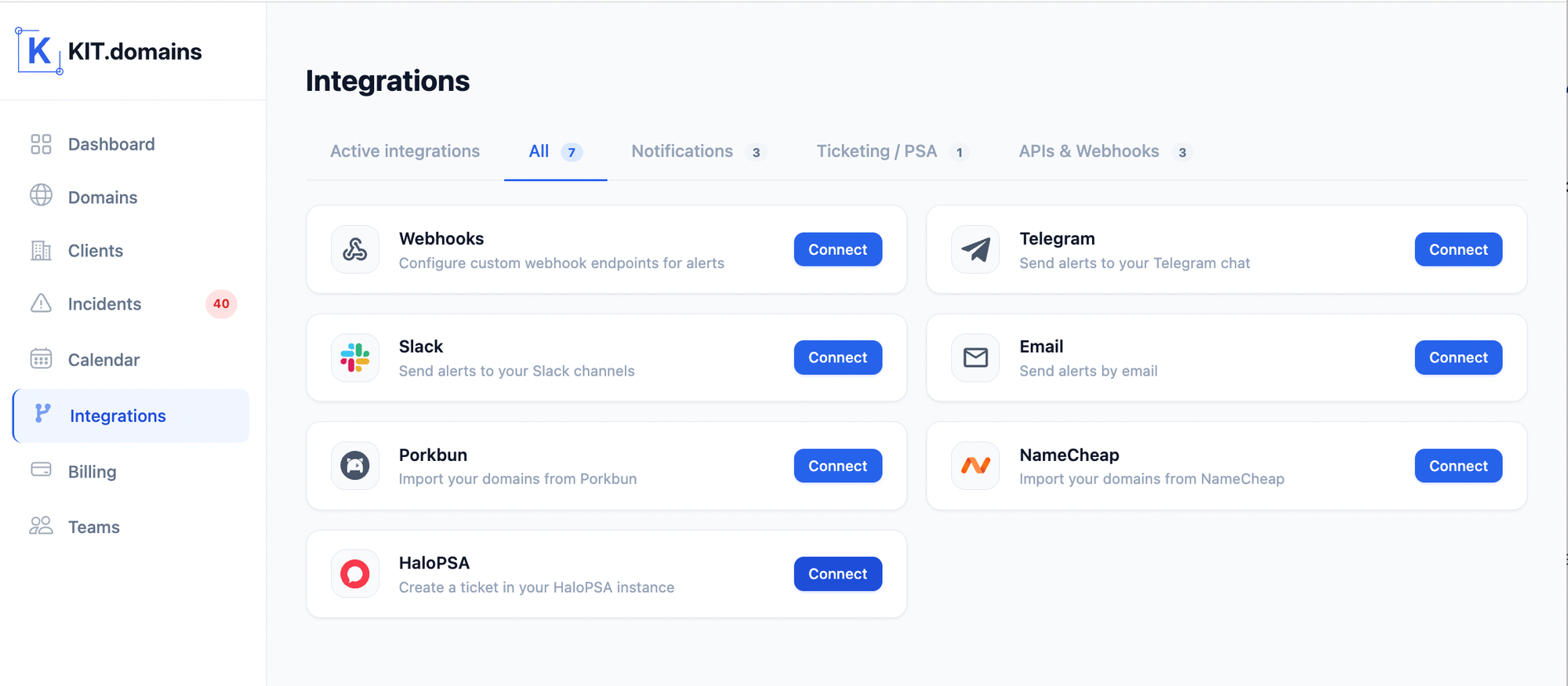
Email: Still Useful, Just Not Enough
Email still has a place - but not as your primary alert channel.
It works best for:
- summaries;
- backups;
- non-urgent notifications.
Relying on it alone introduces delay - and DNS issues don’t wait.
How Modern MSPs Handle DNS Alerts
Modern MSP DNS monitoring isn’t just about uptime - it requires real-time alerting across DNS changes, SSL, and domain lifecycle.
Instead of combining multiple disconnected tools, leading MSPs are moving toward a centralized approach.
They don’t want alerts coming from:
- one tool for uptime;
- another for DNS;
- another for domains.
Because fragmentation creates confusion.
Instead, they use a single system that:
- monitors all domains in one place;
- tracks DNS changes continuously;
- manages expiration and SSL;
- sends alerts to Slack, Webhooks, and email simultaneously.
This creates a single, reliable flow of information - instead of scattered signals.
A proper DNS monitoring platform should not only detect issues - it should deliver alerts instantly where your team works.
How to Set Up DNS Alerts (Step-by-Step)
A typical modern setup looks like this:
- Add your domains to a DNS monitoring service;
- Establish a baseline of DNS records (MX, NS, A);
- Configure alert triggers for:
- DNS changes
- domain expiration
- SSL expiration
- Connect alert channels:
- Slack for visibility
- Webhooks for automation
- Email as backup
- Test alerts to ensure your team receives them instantly.
Without automation, this setup becomes fragile and hard to maintain.
Where KIT.domains Fits Into This Workflow
Most DNS monitoring tools for MSPs fail at alerting because they weren’t designed for multi-client environments.
This is exactly the gap KIT.domains is designed to solve. Instead of stitching tools together, it provides a centralized DNS monitoring platform built around real MSP workflows.
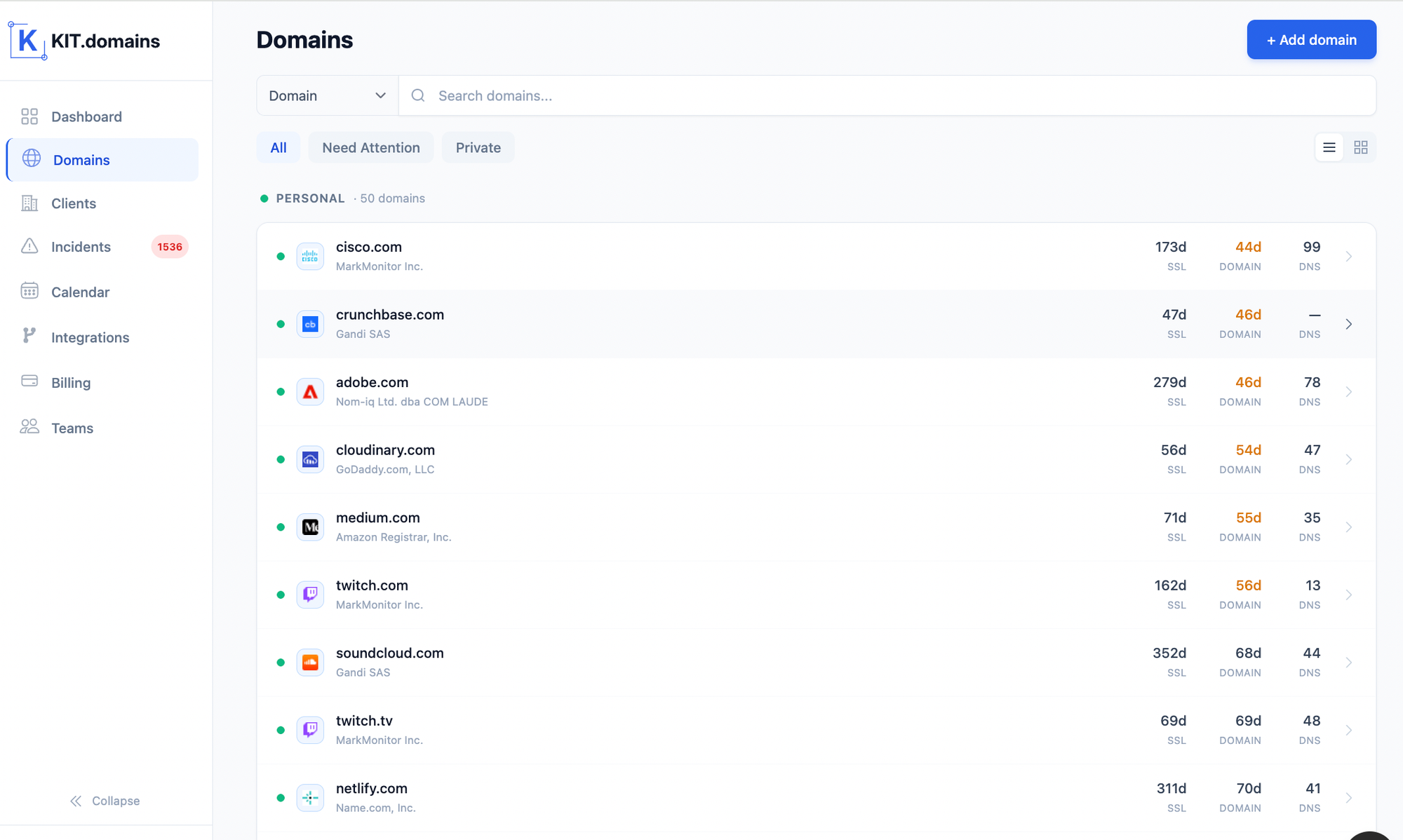
KIT.domains acts as a centralized DNS monitoring service, ensuring alerts are consistent, visible, and actionable across your entire client portfolio.
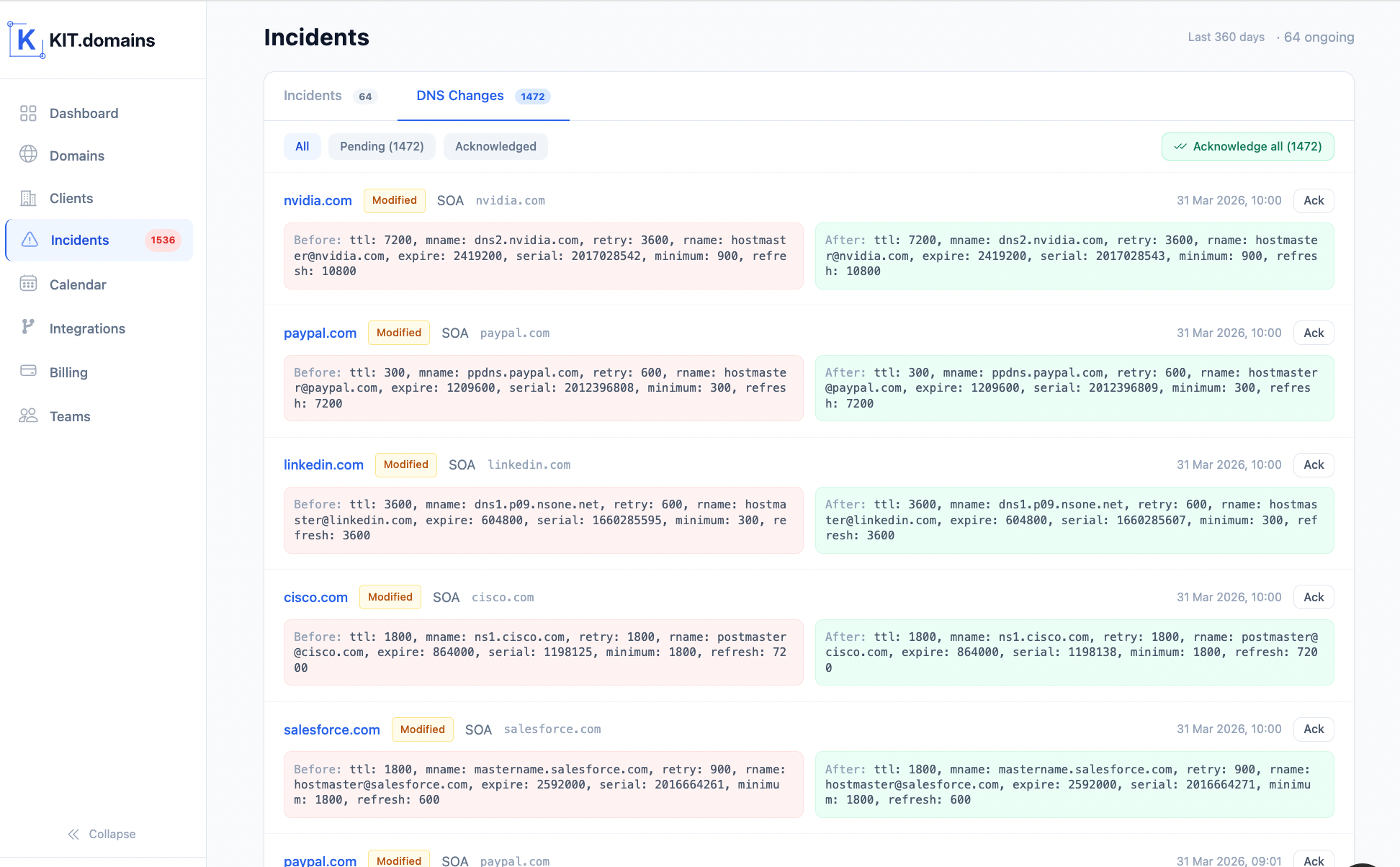
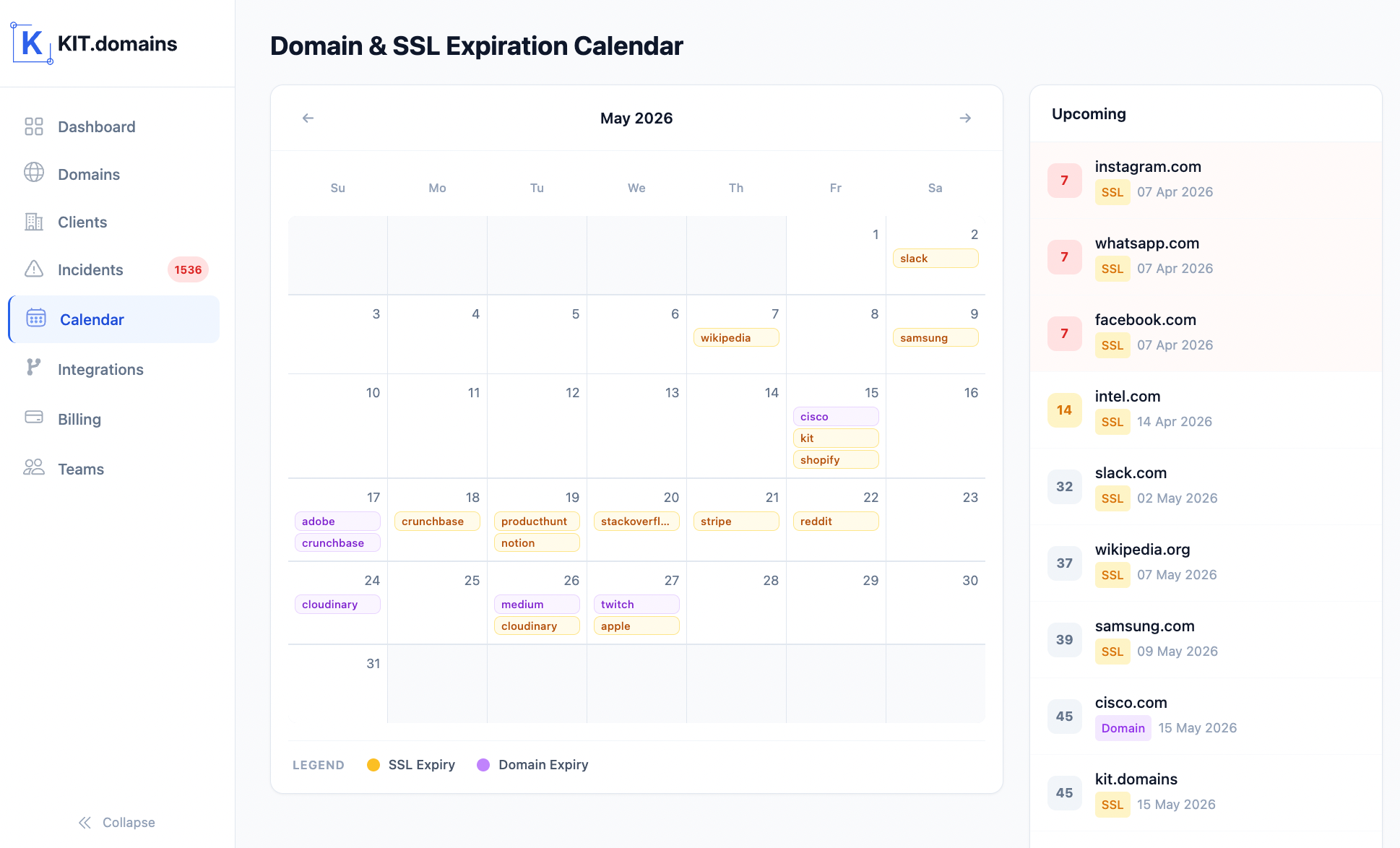
It continuously tracks:
- DNS record changes (MX, NS, A);
- domain expiration across registrars;
- SSL certificate validity.
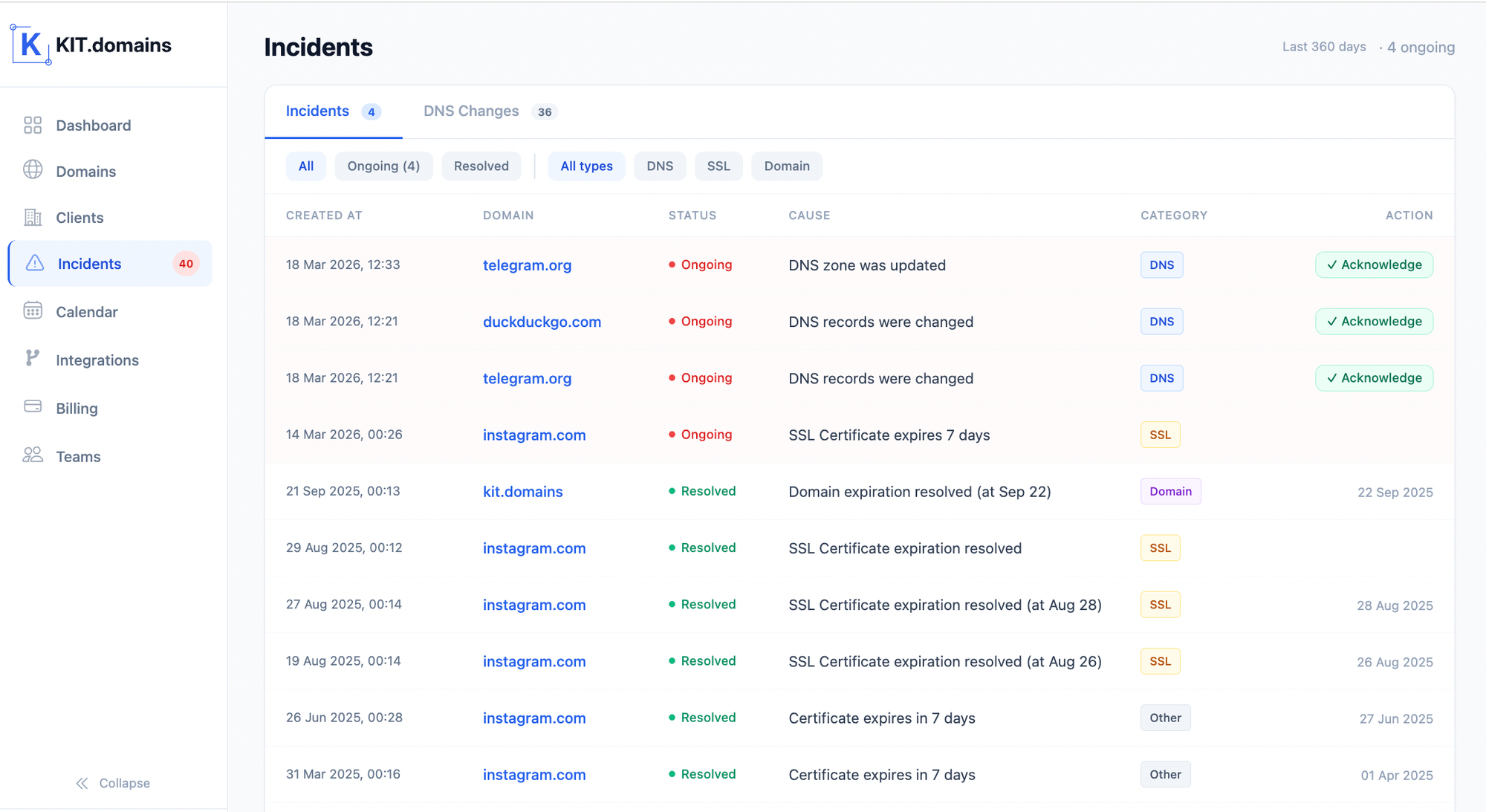
And more importantly - it sends alerts where your team actually works:
- Slack for instant visibility;
- Webhooks for automation;
- Email as backup.
For teams using HaloPSA, alerts can be pushed directly into the service desk - turning DNS events into structured, trackable tickets.
So instead of reacting to scattered notifications, your team operates from a single, consistent alerting system.
Why This Changes Everything
The difference isn’t just convenience. It’s response time.
Without structured alerts:
- issues are discovered late;
- clients report problems first;
- teams operate reactively.
With proper DNS alerting:
- changes are detected instantly;
- teams respond before impact;
- incidents become controlled.
That’s the shift from monitoring → to operational control.
Common DNS Alert Mistakes MSPs Make
Many teams fail not because they lack tools - but because alerts are configured incorrectly:
- relying only on email alerts;
- not monitoring MX or NS records;
- no escalation for critical events;
- alerts sent to inactive channels.
Fixing these issues often improves response time more than switching tools.
Conclusion: Alerts Define Whether You’re Reactive or Proactive
Every MSP monitors infrastructure. But not every MSP sees DNS issues in time.
And that difference comes down to one thing: how alerts are configured - and where they go.
If alerts are delayed, noisy, or fragmented - you’ll always be catching up.
If alerts are instant, clear, and centralized - you stay ahead of problems your clients never even notice.
FAQ: Frequently Asked Questions
What are DNS alerts?
DNS alerts notify you when DNS records change, domains approach expiration, or SSL certificates are about to expire.
What is DNS monitoring for MSPs?
DNS monitoring for MSPs includes tracking DNS changes, expiration dates, and SSL health across multiple client domains.
What is the best way to receive DNS alerts?
Slack for visibility, Webhooks for automation, and email as a backup channel.
Can DNS alerts integrate with HaloPSA?
Yes. With tools like KIT.domains, alerts can be sent via Webhooks directly into HaloPSA, creating tickets automatically.