HaloPSA
Create HaloPSA tickets automatically when Kit.Domains detects domain or SSL expiry.
Connect Kit.Domains to HaloPSA so that whenever a domain or SSL certificate is about to expire, a HaloPSA ticket is created automatically with the category, type, impact and urgency you choose.
Setup has two parts: first you create an API application in HaloPSA, then you enter its credentials into Kit.Domains.
Already have HaloPSA API credentials (Resource Server URL, Authorization Server URL, Client ID and Client Secret)? Skip straight to Part 2.
Part 1 — Create an API application in HaloPSA
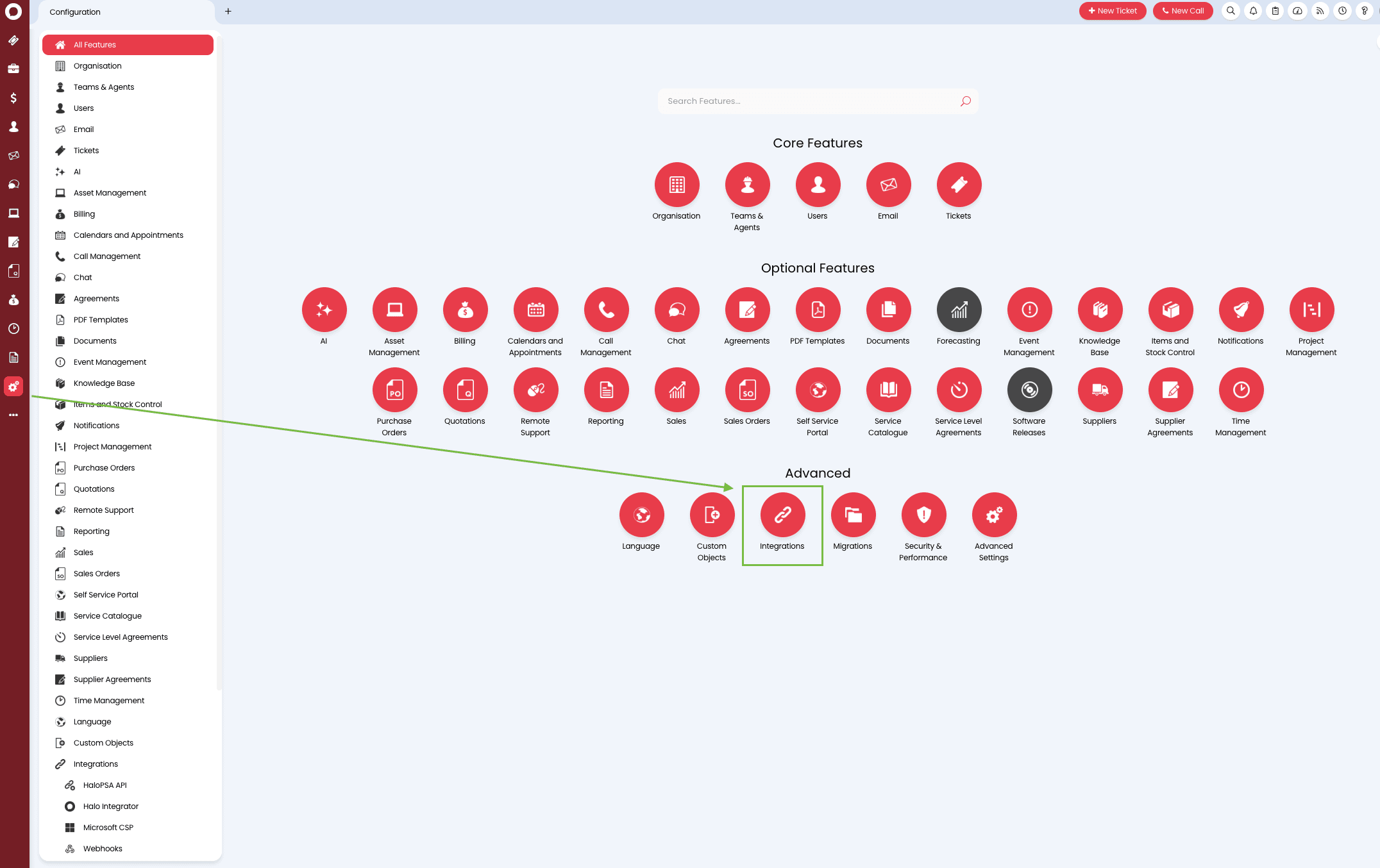
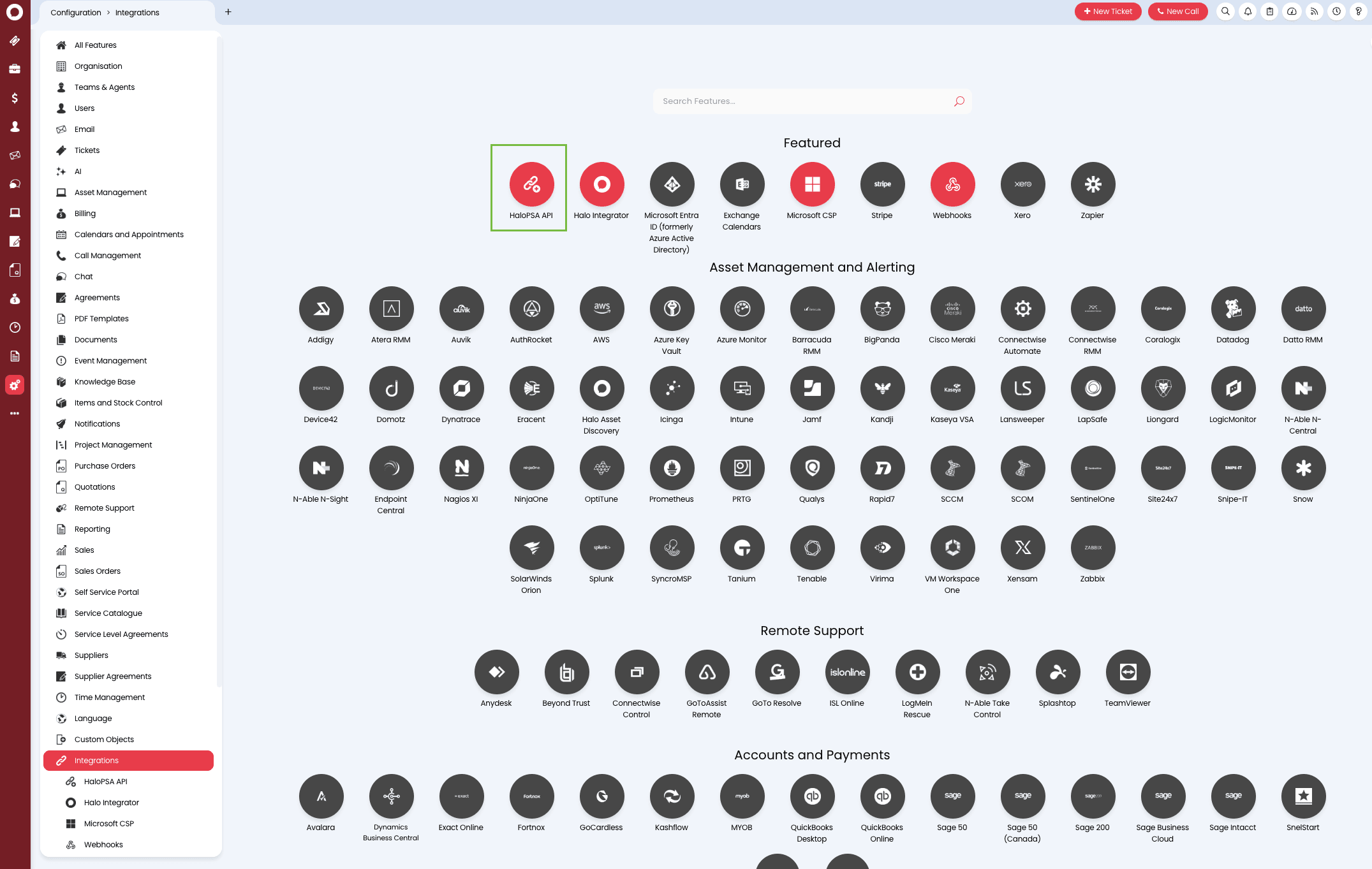
Note the API URLs
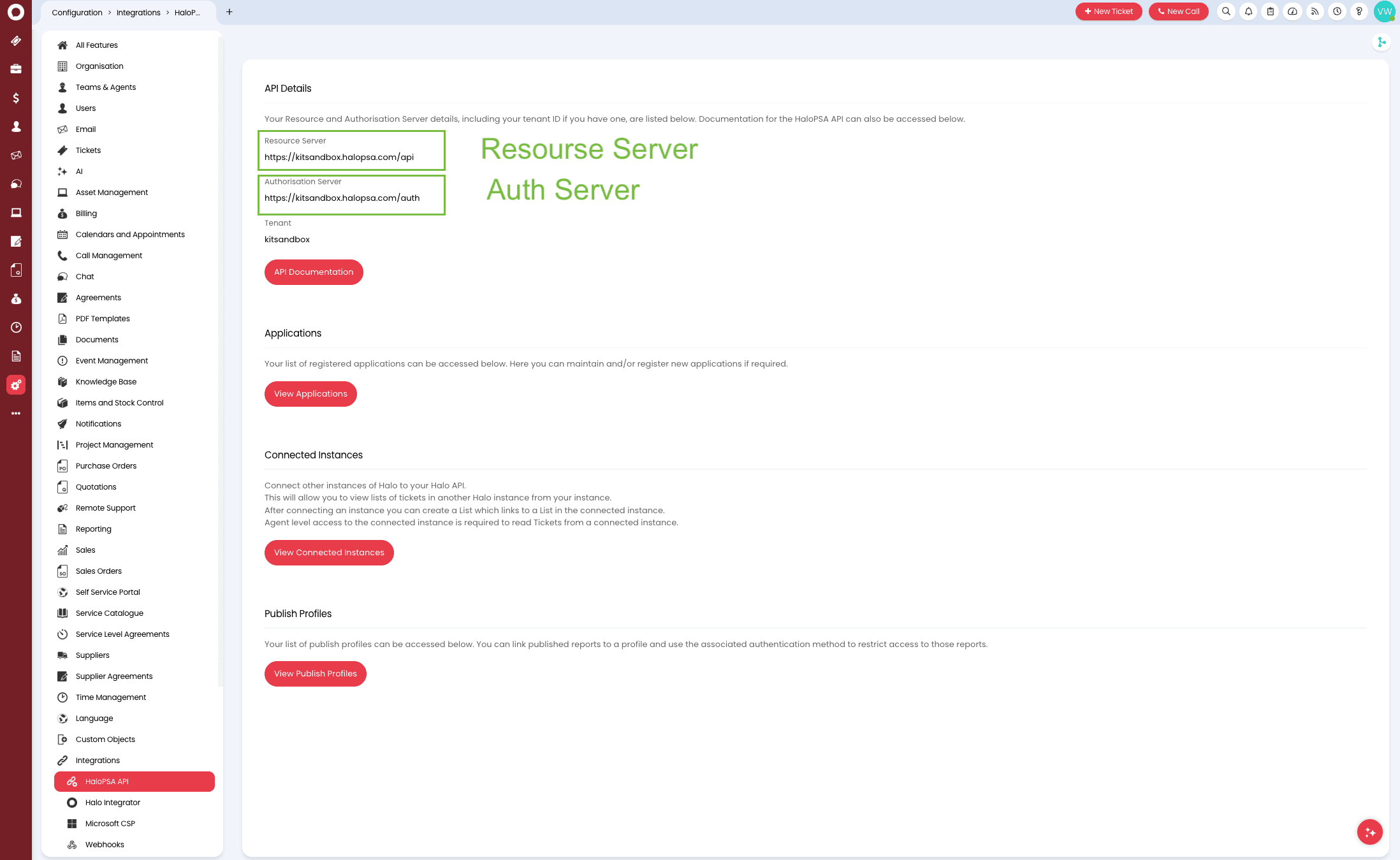
Here you'll find the Resource Server URL and Authorization Server URL. Keep this page handy — you'll paste both into Kit.Domains in Step 10.
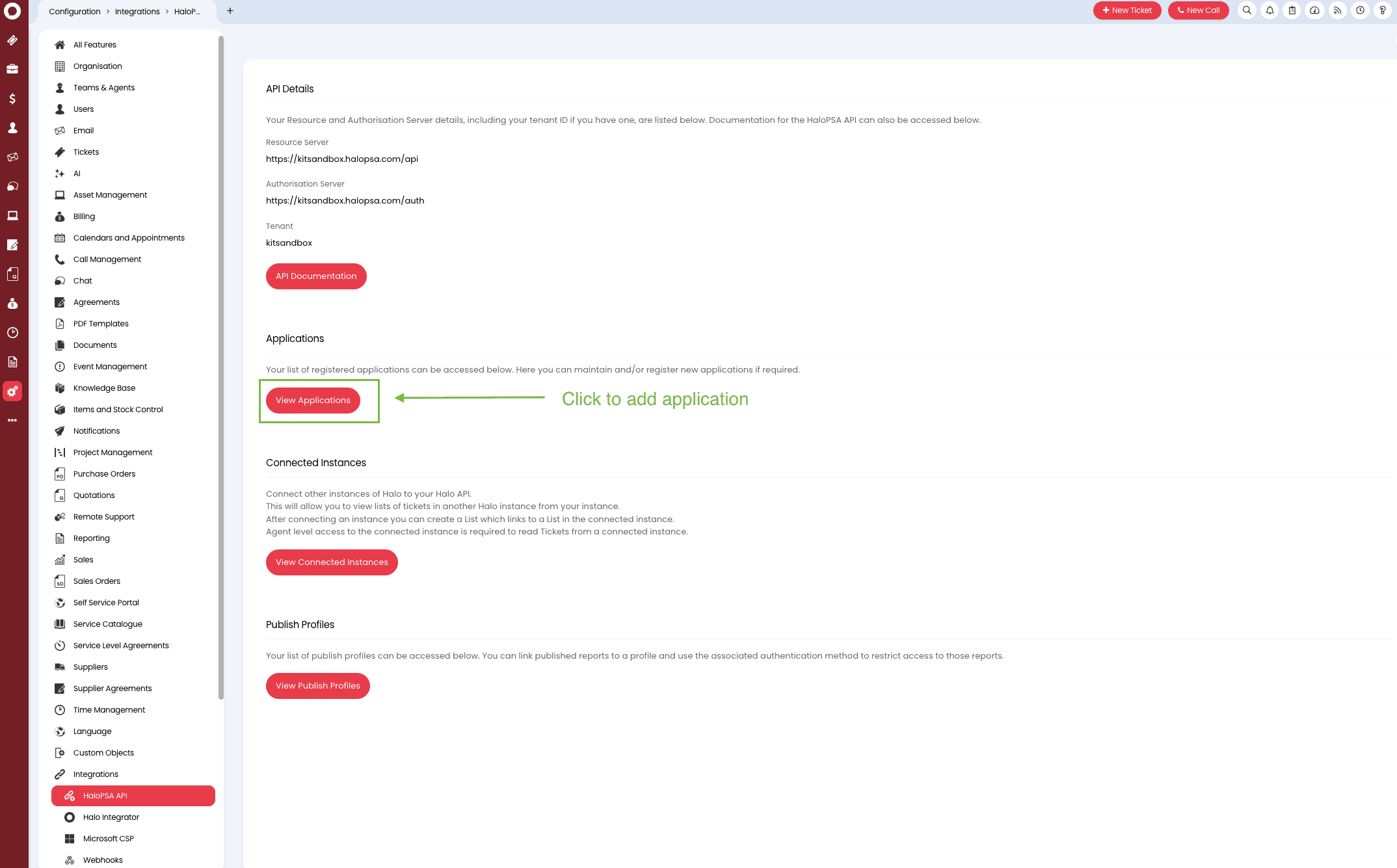
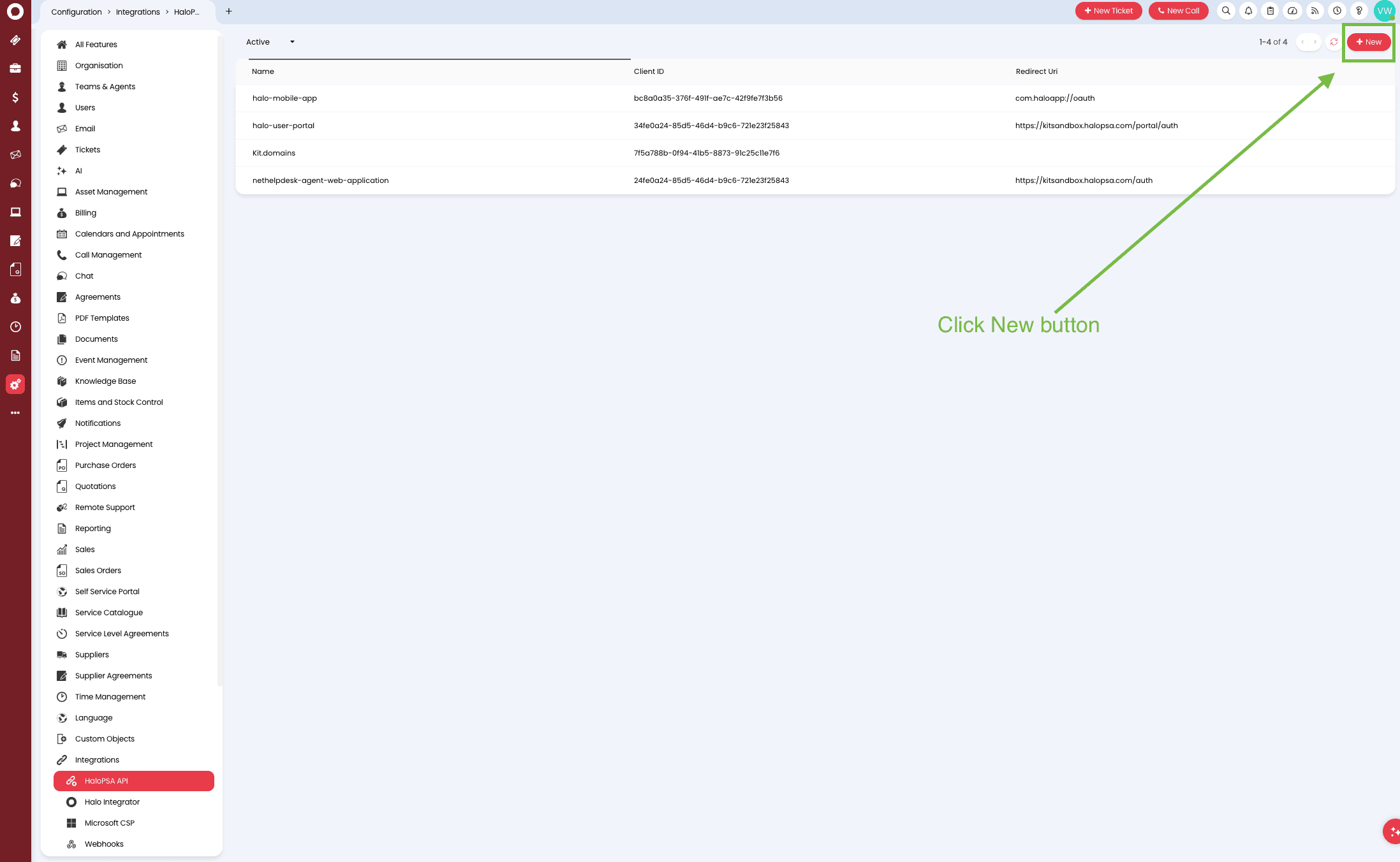
Build the application
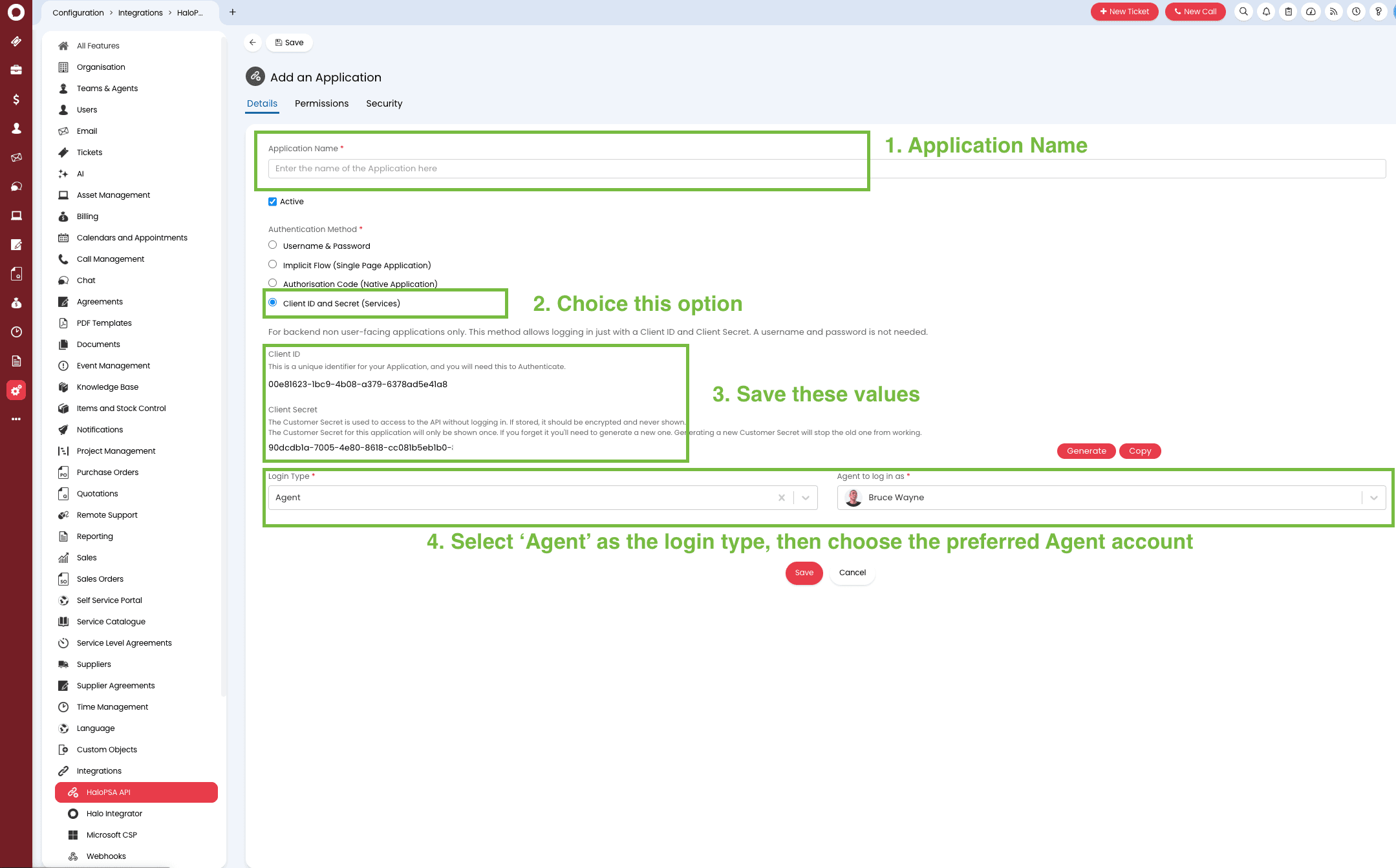
Set the authentication method to Client ID and Secret, then record the Client ID and Client Secret — you'll need them in Kit.Domains. Assign an Agent account for the application to act as.
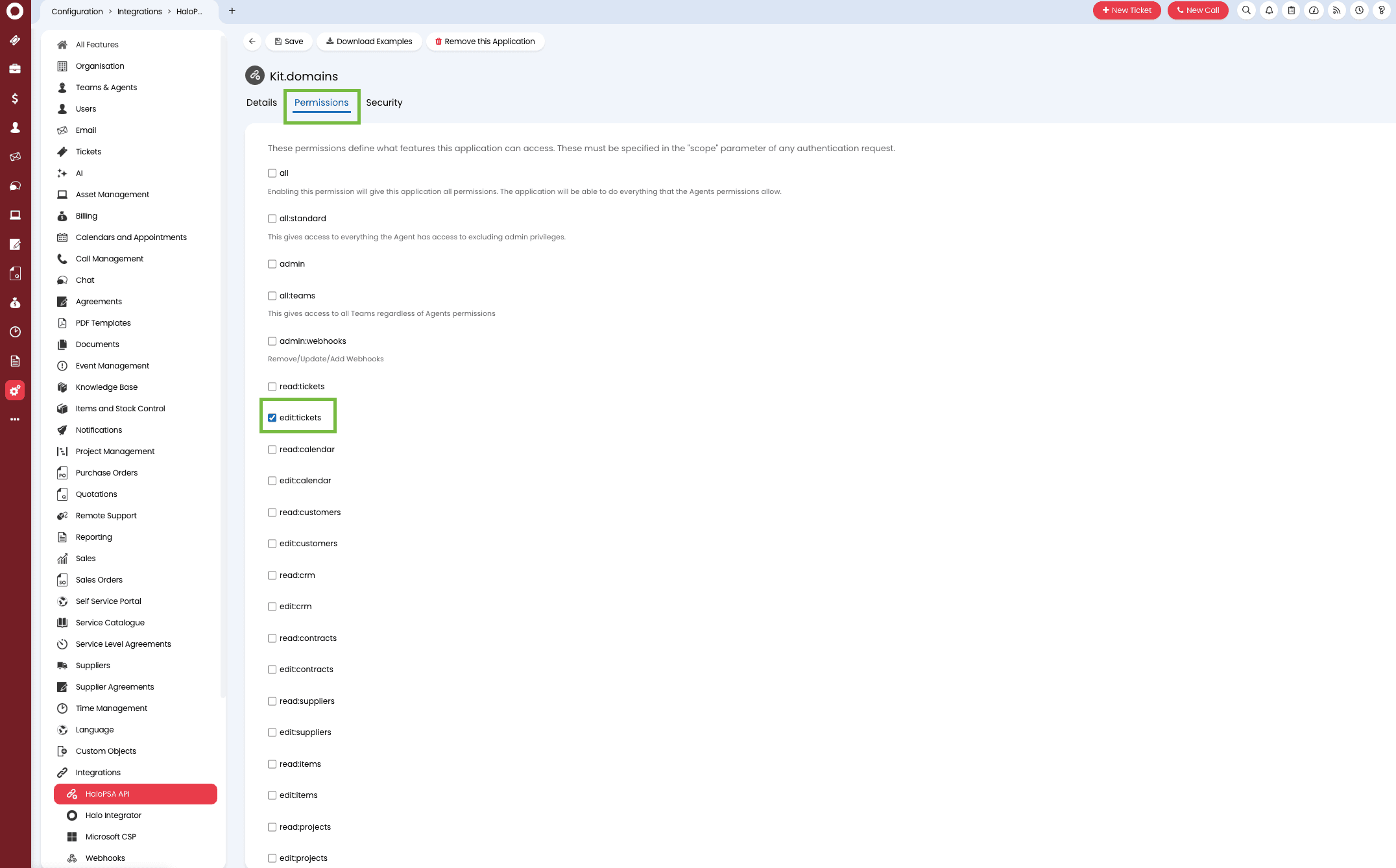
Enable ticket permission
Enable the Edit:tickets permission so Kit.Domains can create tickets, then save.
Part 2 — Connect in Kit.Domains
Open the HaloPSA integration
In Kit.Domains, go to the Integrations tab and click Connect on HaloPSA.
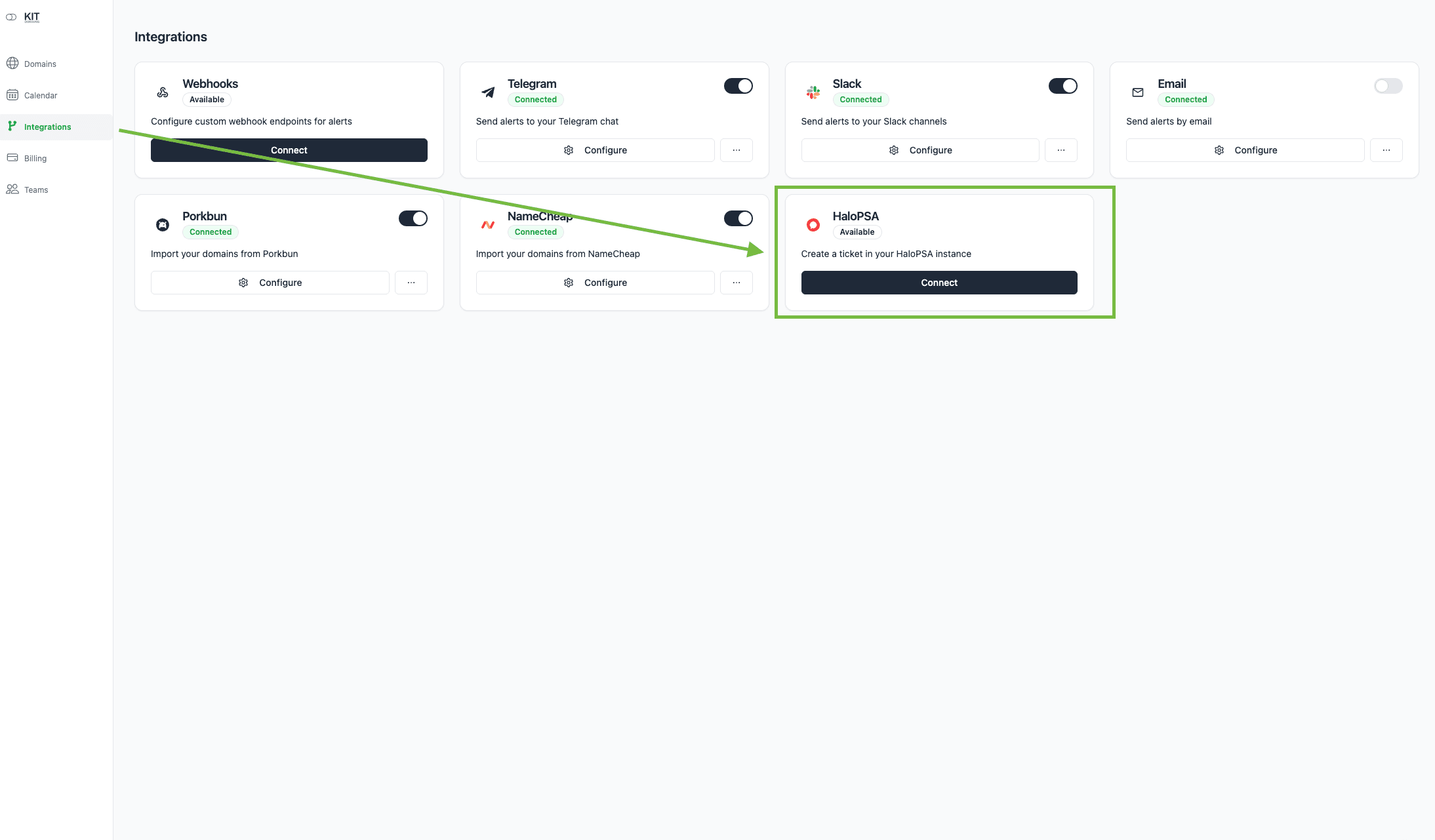
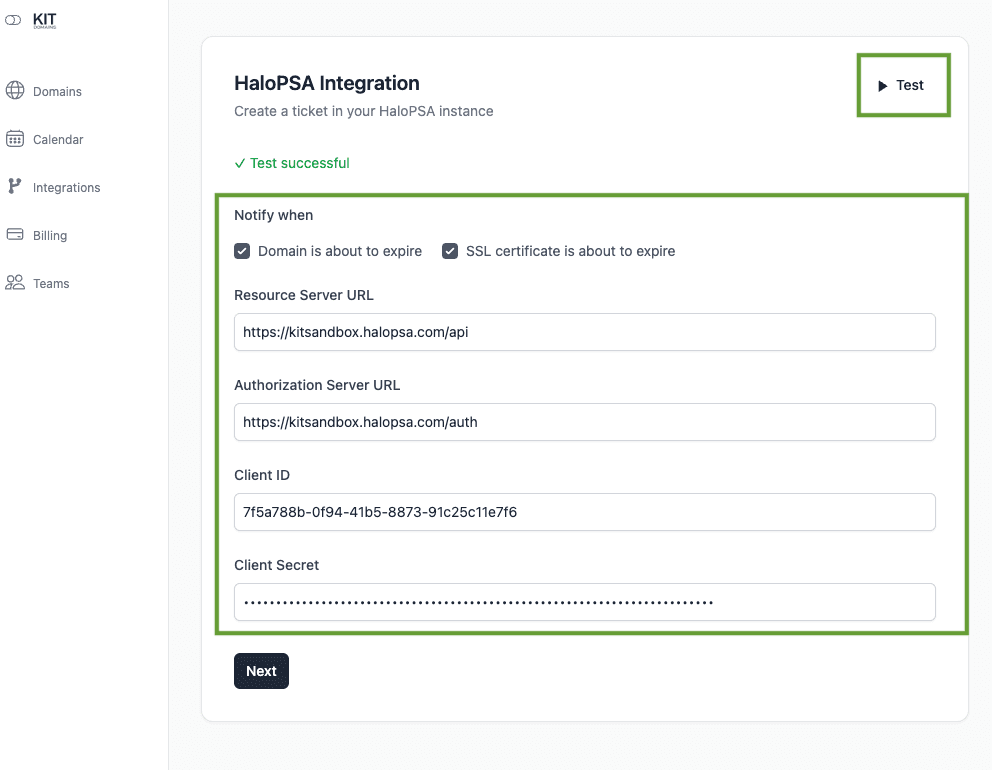
Enter credentials
Paste the four values from HaloPSA — Resource Server URL, Authorization Server URL, Client ID and Client Secret — then click Next. Use Test to confirm the connection works.
Choose ticket options
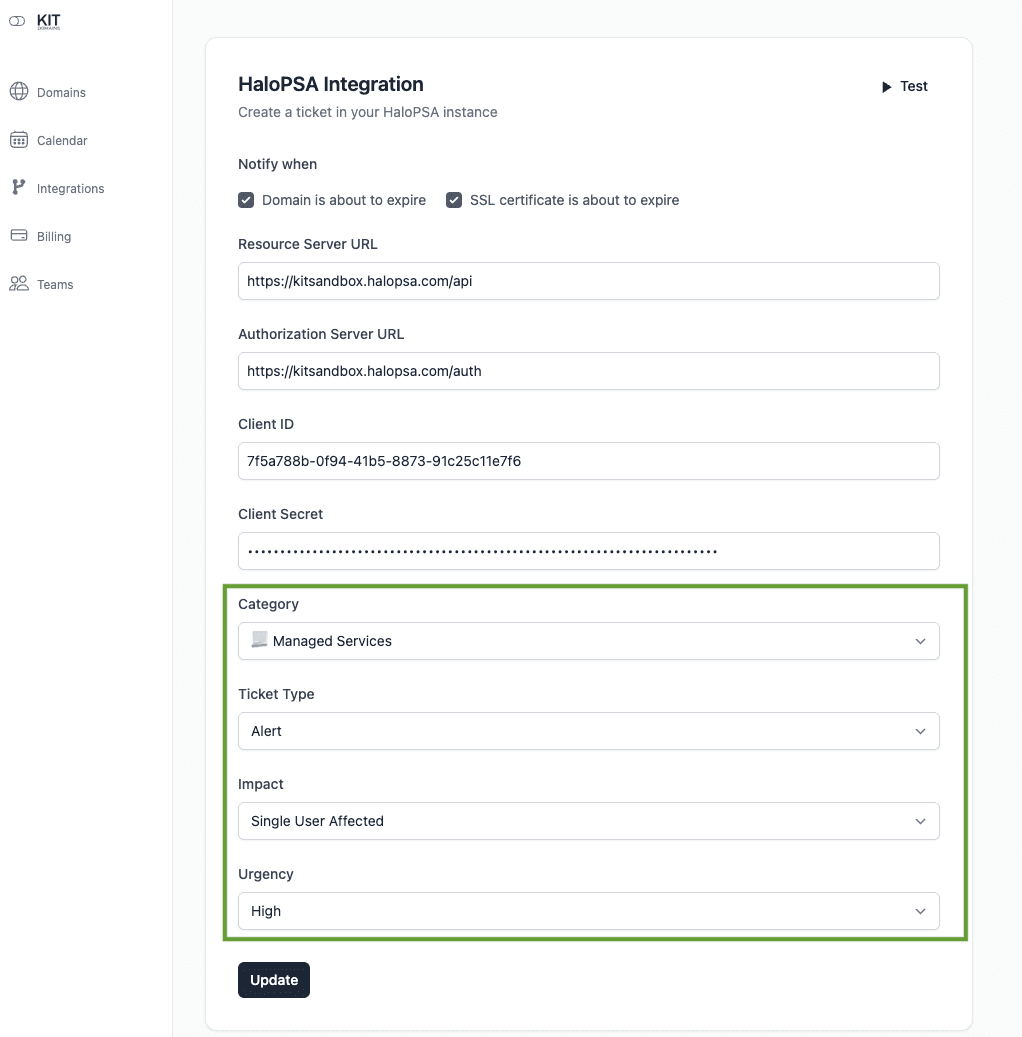
Pick the Category, Ticket Type, Impact and Urgency that new tickets should use, then click Update.
That's it. From now on, when Kit.Domains detects a domain or SSL expiration issue, it opens a HaloPSA ticket with the options you selected.